
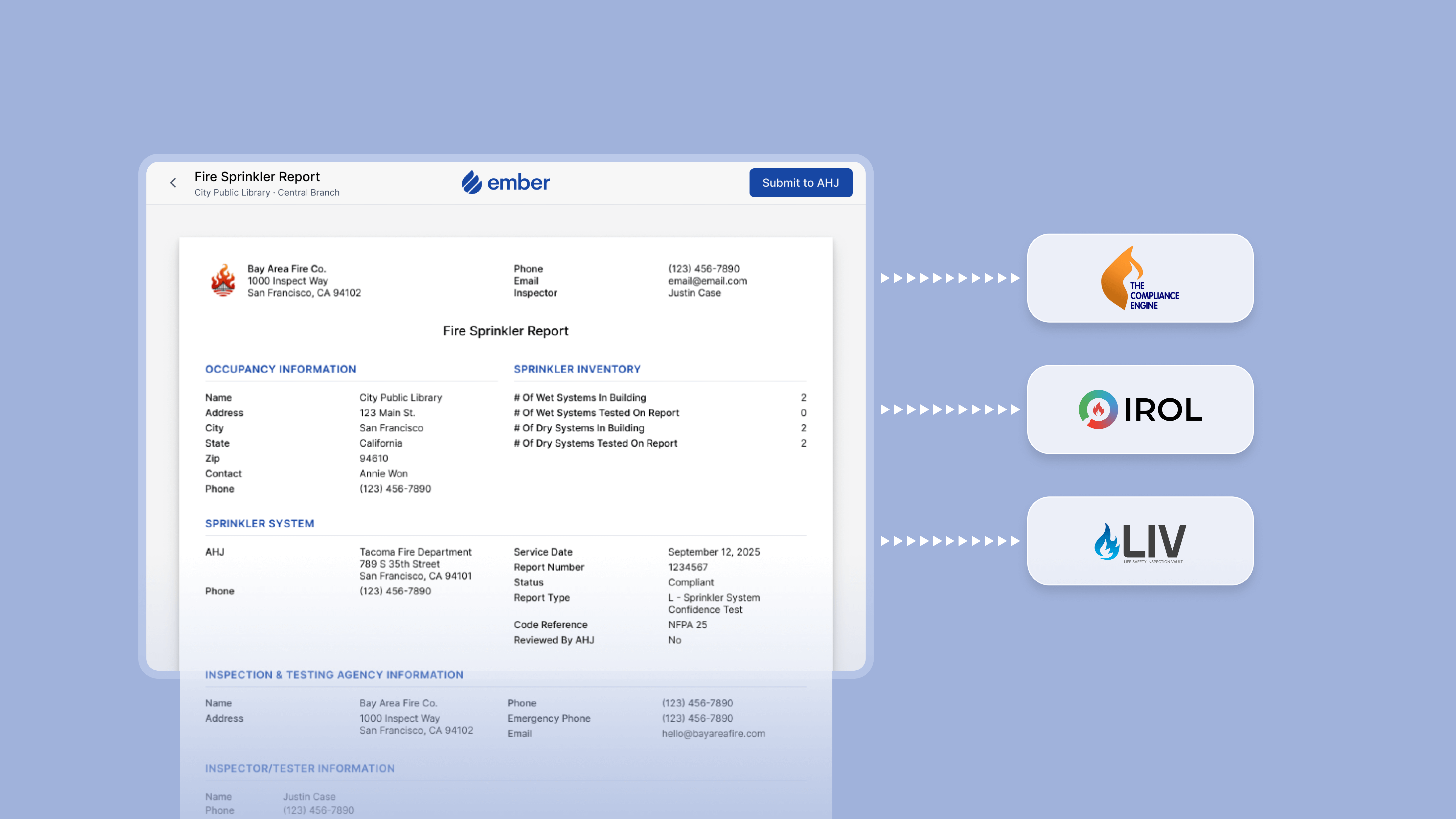
One-Click AHJ Submissions
When a technician finishes an inspection, the AHJ report is ready to submit. Inspection data goes directly into the submission fields, so your office isn't reformatting, re-entering, or manually assembling anything before it goes out.
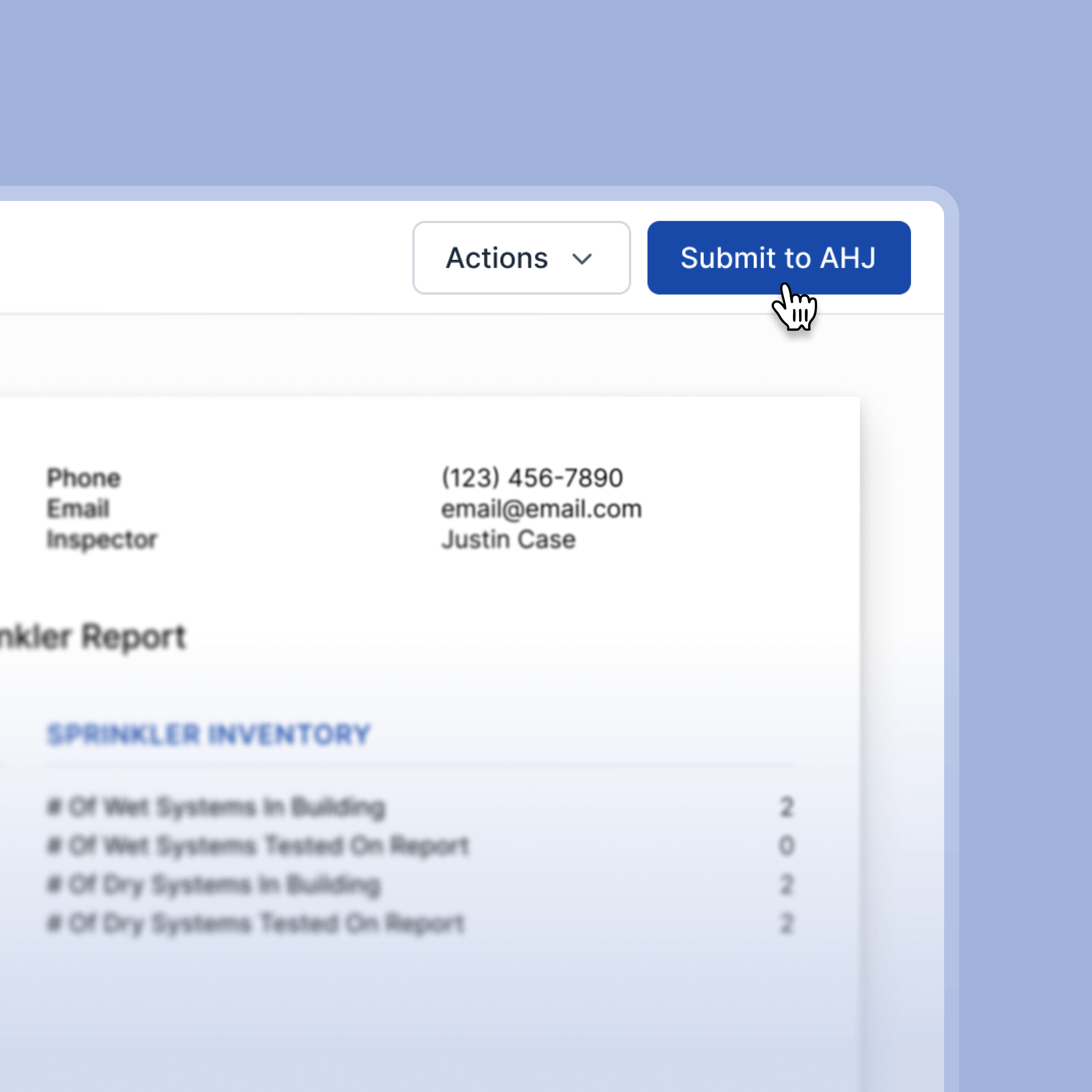
- Submit completed inspection reports to the authority having jurisdiction directly from Ember with no file prep or no manual attachments.
- Inspection data flows into submission fields automatically, so nothing gets transcribed or keyed in twice.
- Ember connects directly to Brycer's The Compliance Engine, IROL, and LivSafe. No logging into separate portals.

Track Submission Statuses
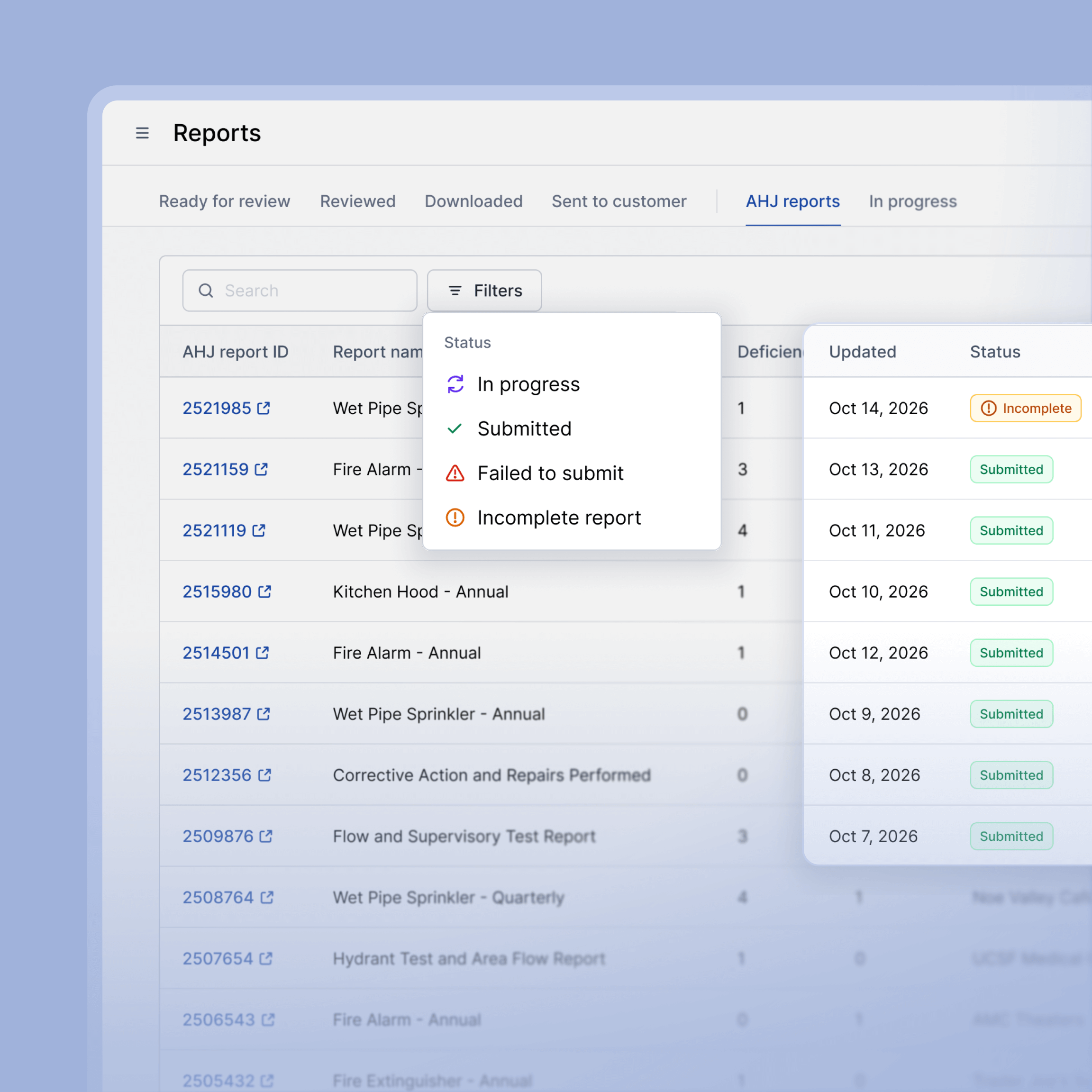
Once a report is submitted, your office shouldn't have to log into a separate portal just to confirm it was received. Ember tracks the status of every submission so your team always knows where things stand.
- See whether each submission is pending, accepted, or flagged without leaving Ember
- If an authority having jurisdiction requests additional information, your team can see it and respond without logging into a separate portal
- Every submission is tied to a specific job and location, so nothing gets mixed up across your portfolio
Resolve Deficiencies Faster
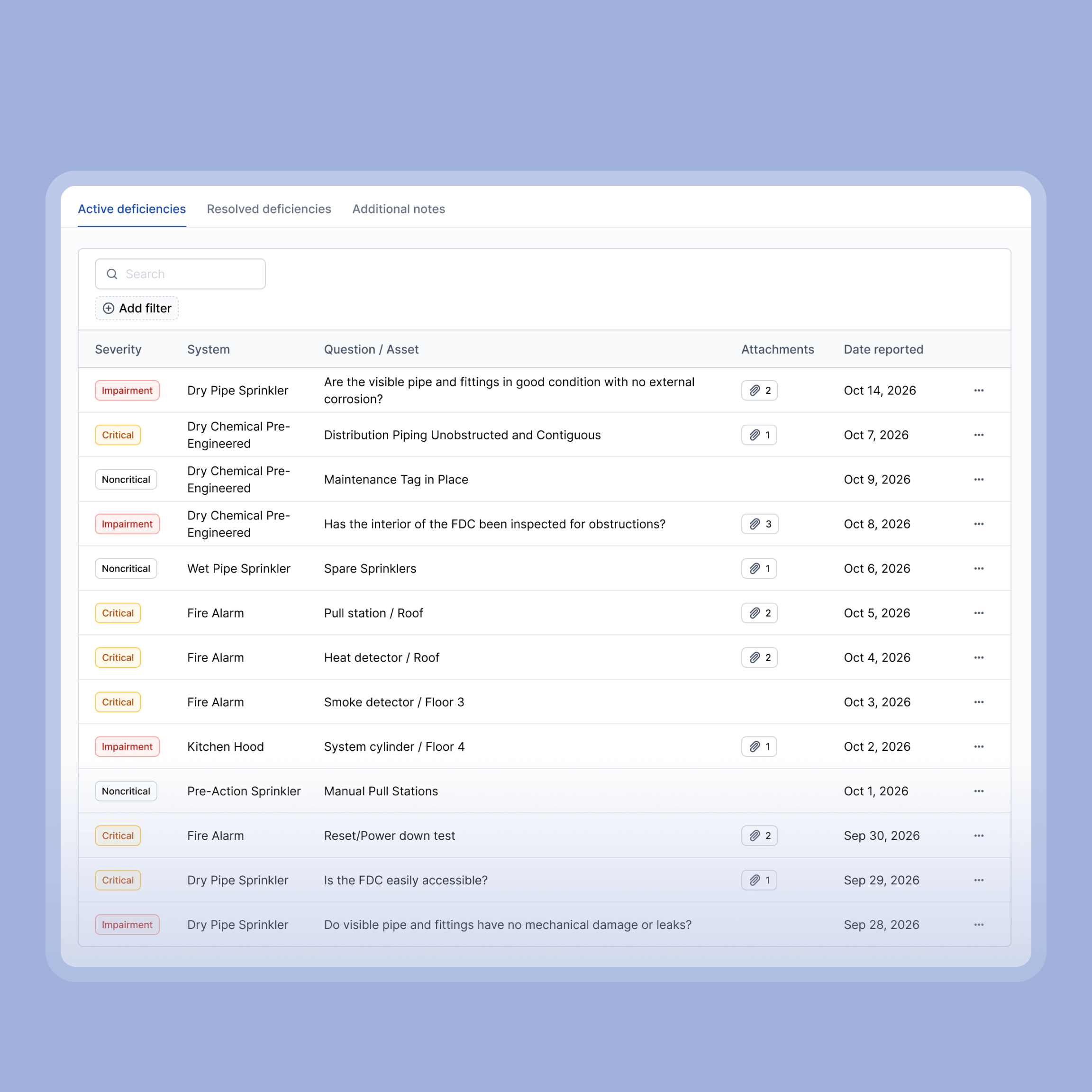
When a technician flags a deficiency during an inspection, Ember keeps it visible and actionable until it's closed out. Nothing gets lost between the field and the office.
- Deficiencies are recorded with severity level, photos, notes, and the technician who found them
- Unresolved deficiencies stay visible on the customer and location view, so your office always knows what needs attention
- Mark deficiencies as resolved and link them back to the job where the work was completed, creating a full paper trail
- Resolving a deficiency prompts your office to submit an updated report to the customer or AHJ as required
AHJ Submissions Without the Manual Work or the Mistakes

One-Click Submission
Submit completed inspection reports to the AHJ directly from Ember. No file prep, no manual uploads.

Portal Integrations
Ember connects directly to Brycer TCE, IROL, and LivSafe. No separate portal logins required.

Submission Status Tracking
See whether each submission is pending, accepted, or flagged without leaving Ember.

Deficiency Documentation
Deficiencies are recorded with severity level, photos, notes, and technician details at the time of inspection.

Deficiency Resolution Tracking
Track every deficiency from open to closed and link resolutions back to the job where the work was completed.

Automated Report Prompts
Resolving a deficiency prompts your office to submit an updated report to the customer or AHJ as required.
Frequently Asked Questions
Which AHJs does Ember integrate with?
Ember integrates directly with Brycer's The Compliance Engine, IROL, and LivSafe, covering a wide range of jurisdictions across the country.
What happens after I submit a report through Ember?
Ember logs a submission confirmation and tracks the status in real time. You can check whether the authority having jurisdiction accepted the report or flagged it for additional information, all from within Ember without logging into external portals.
Can Ember submit reports for all inspection types?
Yes. Any inspection your techs complete and document in Ember can flow into an AHJ submission. Fire alarm, sprinkler, fire extinguisher, kitchen suppression, emergency lighting, backflow, fire pump, hydrant and more. No reformatting required.
See how much time your office can save
Most fire contractors who switch to Ember realize they were spending hours every week on submissions that now take seconds.
Get a Free Demo


