
Asset Lists
The assets your team services, organized by floor, with full history loaded before the inspection starts.
Get a Free Demo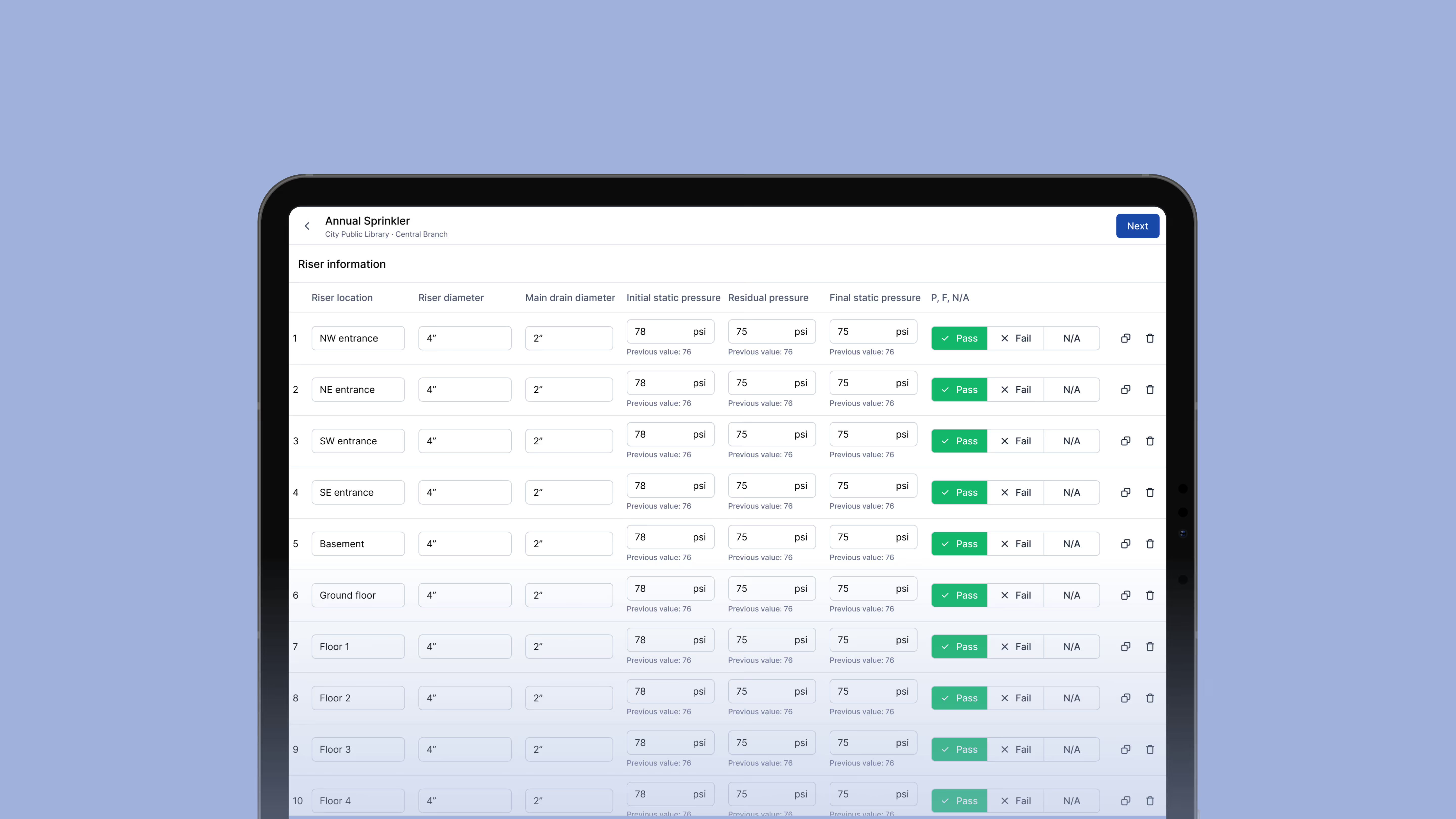
Know Where Every Asset Is Located
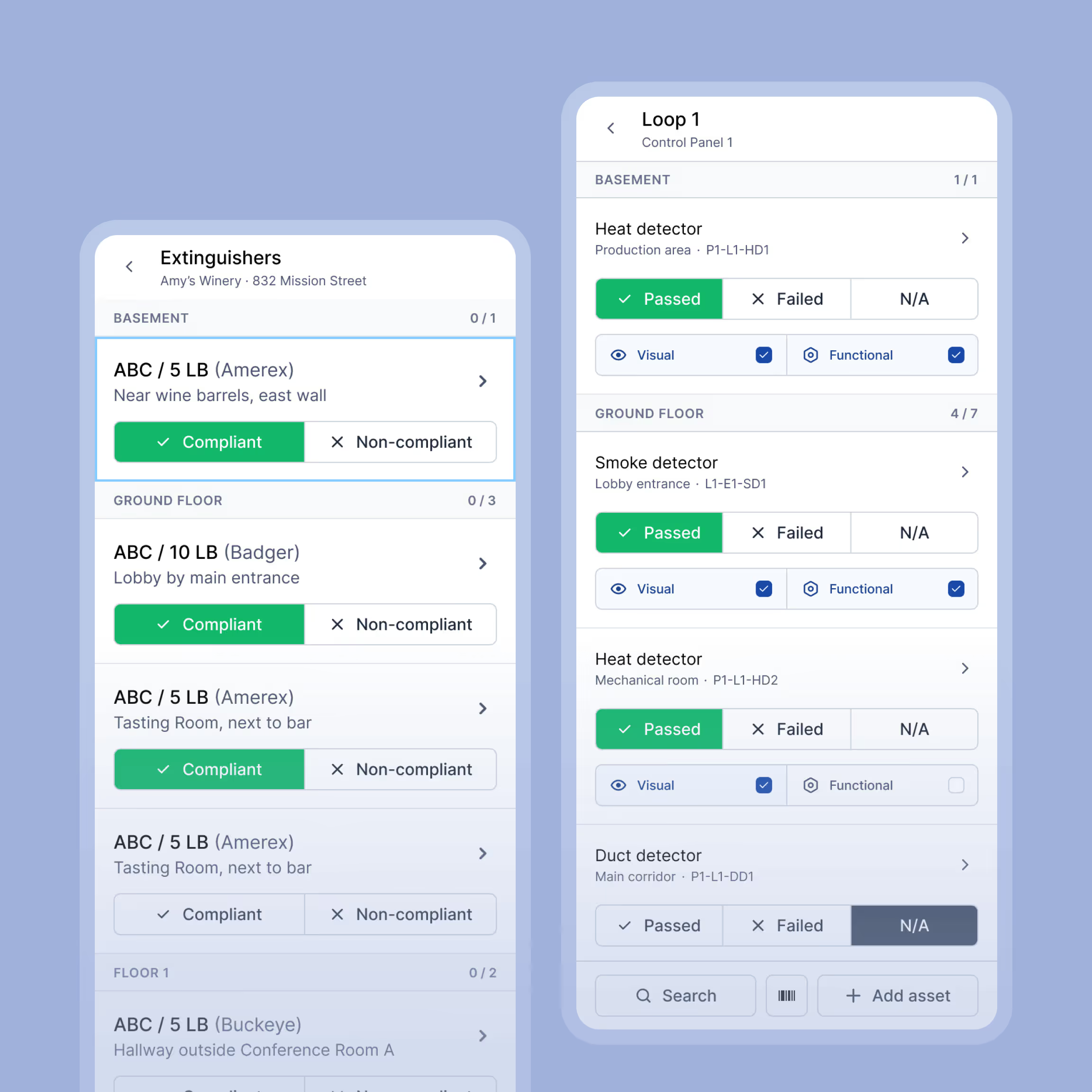
Ember stores a record for each asset at every customer site, organized by floor. When a tech arrives, they already know what's there and where to find it.
- Supported asset types include fire extinguishers, alarm devices, sprinkler components, backflow devices, fire pumps, emergency lighting, and more
- Asset records store the information that matter for each system: serial number and manufacture date for extinguishers, device type and location for alarm components
- View assets as a list or table, both organized by floor

See the Full Asset History Before the Inspection Starts
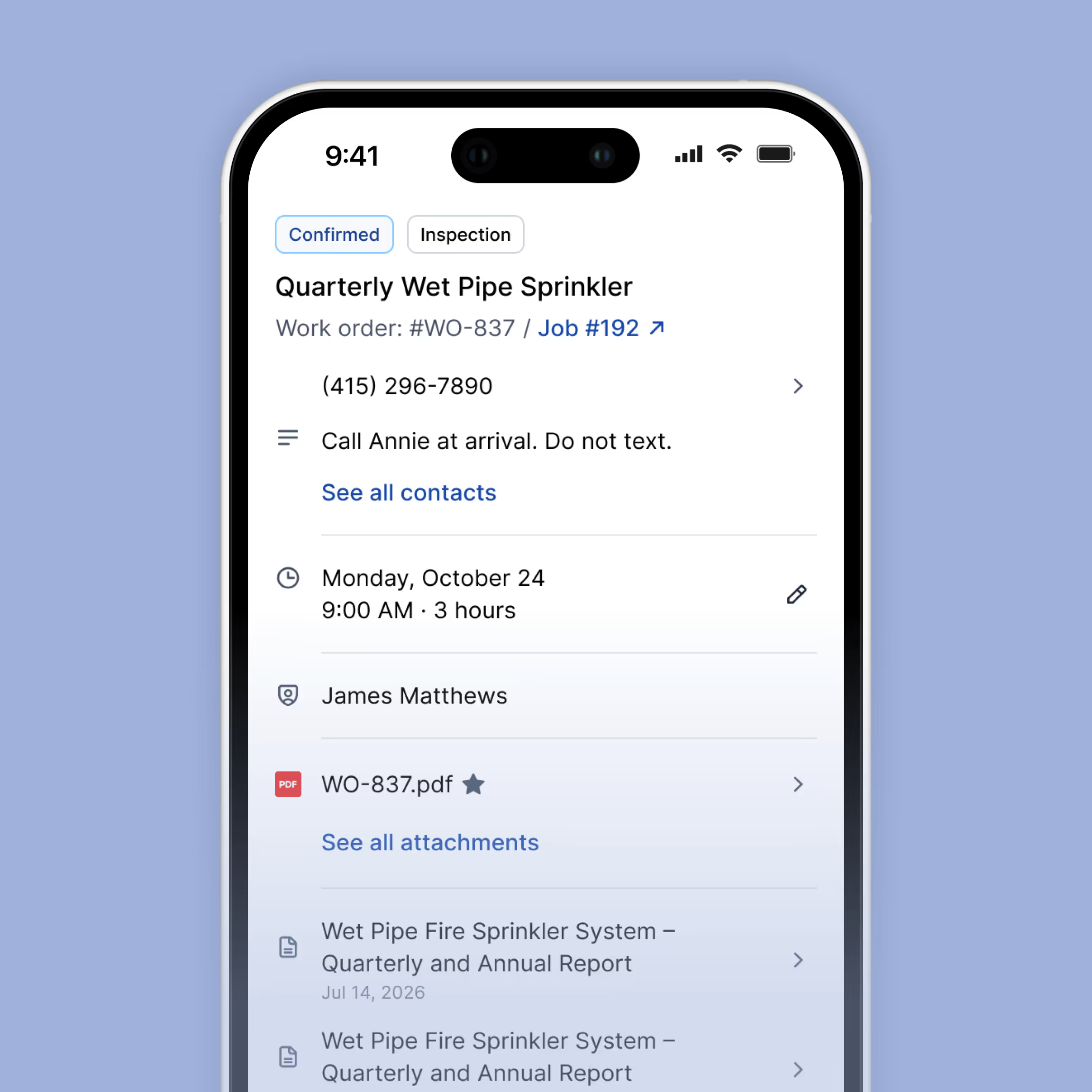
Before a tech touches a single asset, the relevant history is already there. Pass/fail outcomes, service notes, and photos from prior visits load automatically so techs aren't starting from scratch on every inspection.
- Pass/fail outcomes, service notes, and photos from prior visits are visible before the inspection starts
- Recurring fields like last hydrostatic and 5/6-year test dates carry forward automatically so techs never re-enter information that belongs to the asset
- Deficiencies stay tied to the specific asset across every job until they are documented as resolved
Scan Barcodes to Find an Asset Instantly
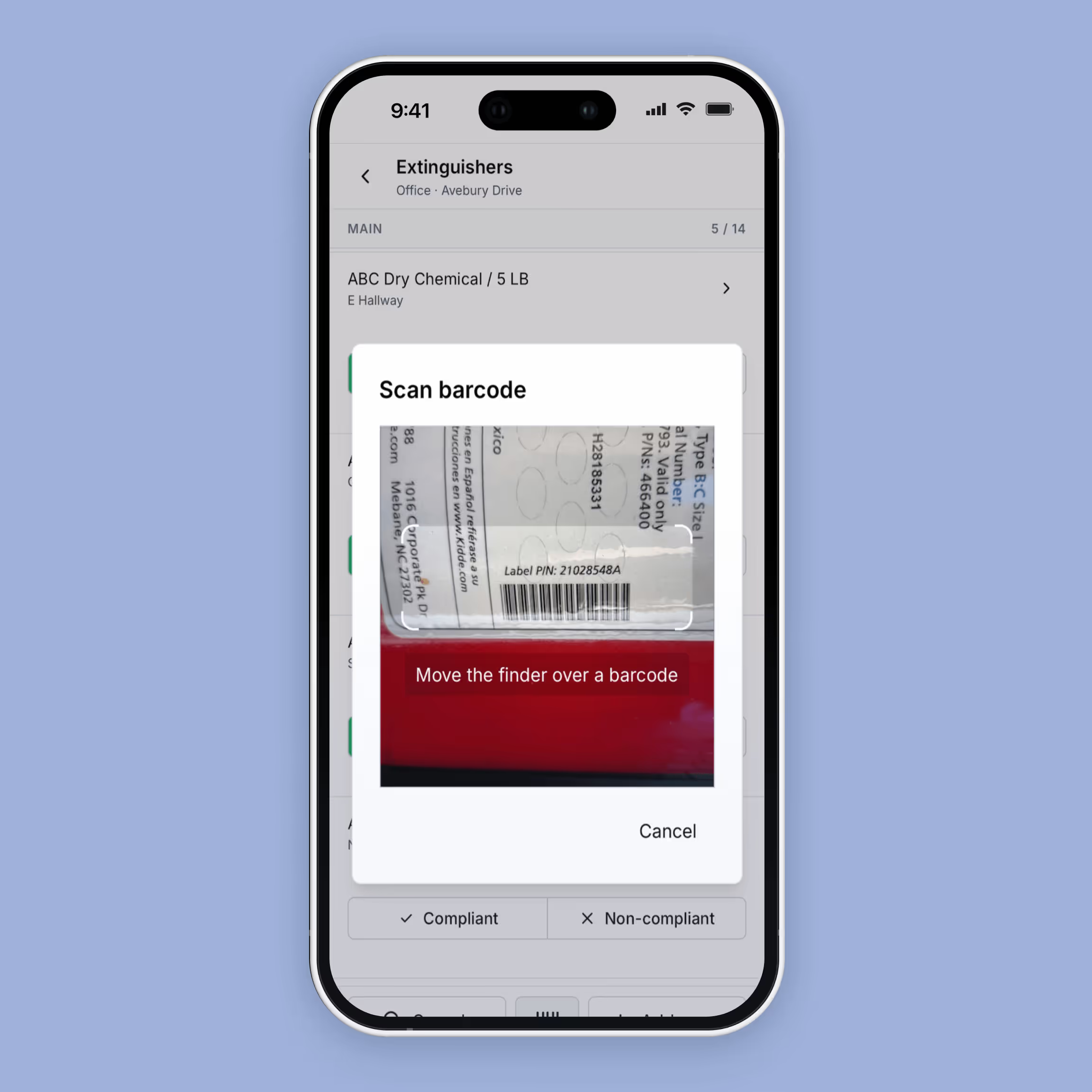
Techs scan the barcode and Ember pulls up the matching asset immediately. Status, notes, and record details load on the spot so the tech can mark pass/fail and keep moving.
- Compatible with both 1D and 2D barcodes using the device's built-in camera
- Scanning highlights the matching asset within the list or report the tech is already working in
- Works fully offline so barcode scanning is available even without a cell signal
Asset tracking built around how fire inspections work.



Everything Your Team Needs to Manage Fire Protection Assets

Asset Records by Floor
Every asset organized by floor across every customer site.

Inspection History
Pass/fail outcomes, service notes, and photos from prior visits loaded automaticall

Recurring Fields
Service dates like last hydrostatic and 5/6-year tests carry forward automatically between inspections.

Deficiency Tracking
Deficiencies stay tied to the specific asset across every job until resolved.

Barcode Scanning
Scan any barcode to pull up the matching asset instantly, works offline.

Asset Import
Prior asset records can be imported so history doesn't start at zero.
Frequently Asked Questions
What types of assets does Ember track?
Fire extinguishers, fire alarm devices, sprinkler components, backflow devices, fire pumps, and emergency lighting. Each asset type stores the fields specific to that system.
How are assets organized?
By floor. Floor is a required field on every asset record. There is no map or diagram view.
What shows up in an asset's history?
Prior pass/fail outcomes, service notes, and photos. Recurring fields like last hydrostatic and 5/6-year test dates carry forward automatically. Deficiency history stays tied to the asset until the issue is resolved.
How does barcode scanning work?
Scanning highlights the matching asset in the current list or report. Status and record details load immediately. Works offline.
Can we import existing asset records?
Yes. Prior records can be imported so your team has access to history from day one
Ready to simplify your fire inspection workflow?
Get a Free Demo


