
Scheduling and Team Management
One calendar for scheduling, dispatching, and tracking every technician, so nothing slips through the cracks between the office and the field.
Get a Free Demo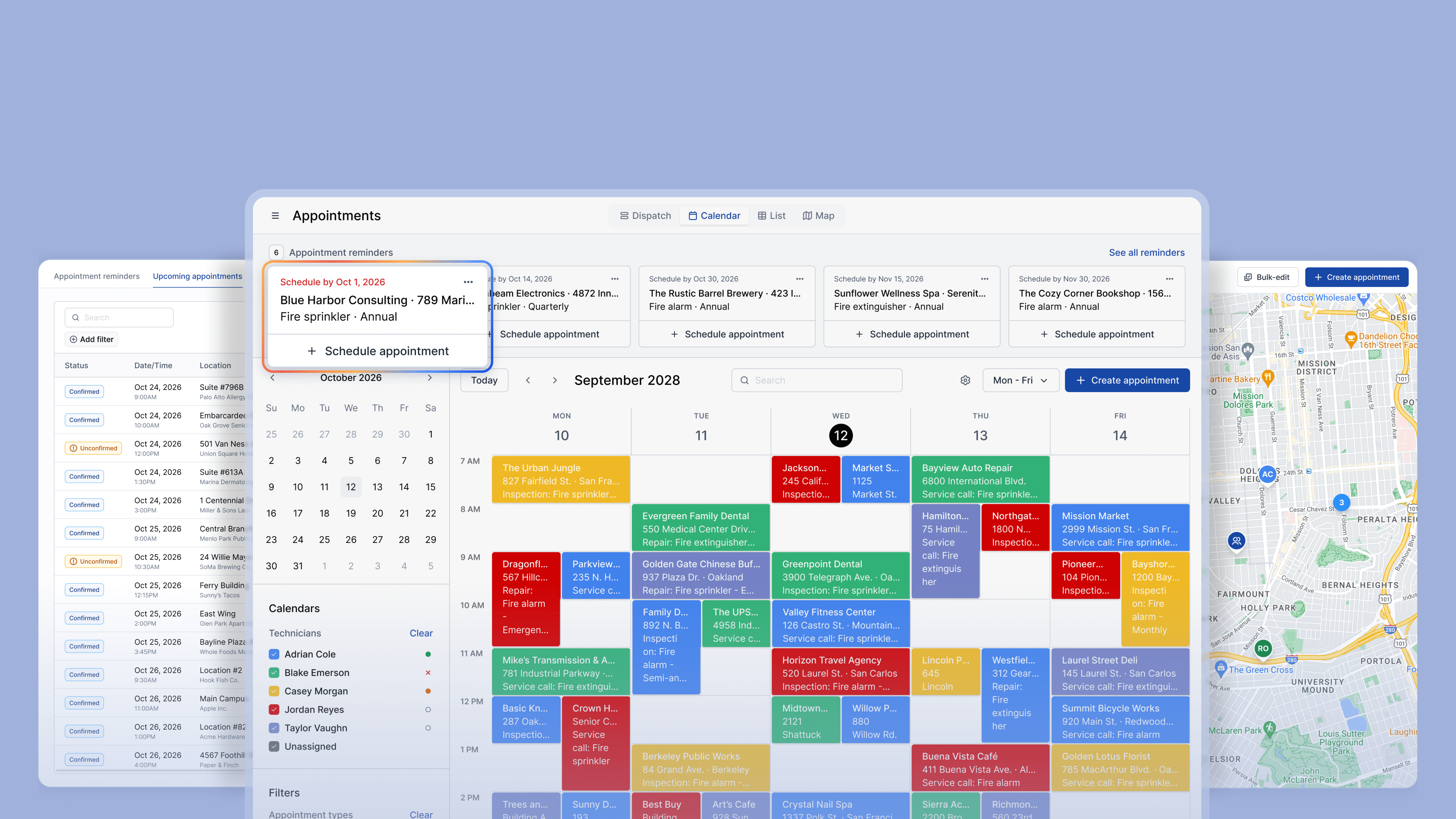
One Calendar for the Whole Office
Every technician's schedule lives in Ember, not in someone's head or a shared spreadsheet. Office staff can see who's available, assign the next job, and move appointments around without picking up the phone.
- Day and week views show every technician's assigned jobs, times, and locations in one calendar
- Assign or reassign a job in a few clicks, and it appears on the technician's device right away
- Everyone in the office works from the same calendar, so nobody schedules around outdated information

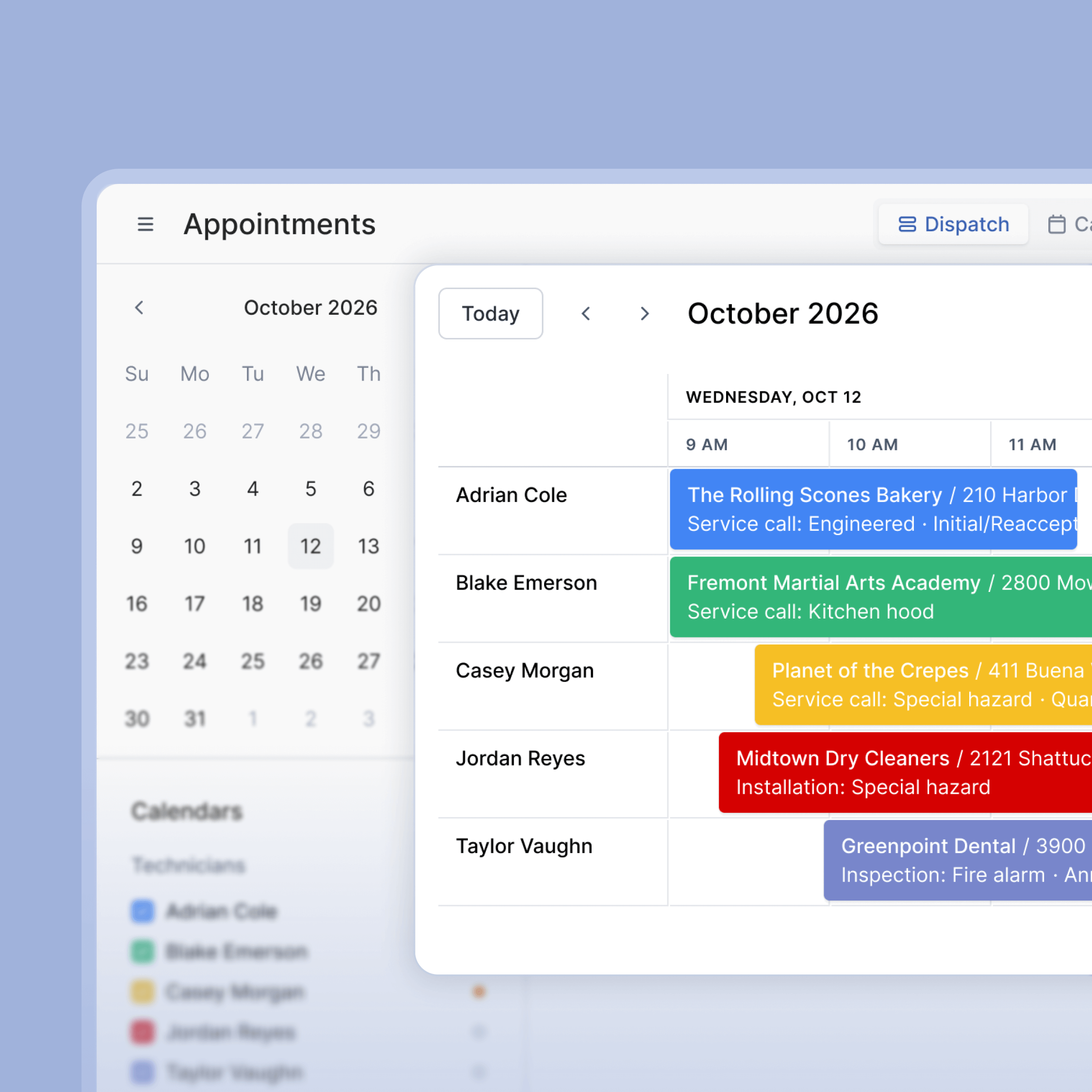

See Where Technicians Are Located in the Field
Ember gives the office a live view of every technician's status, so the day's plan can adjust the moment something changes.
- Real-time status shows who's checked in and working, who's finished, and what's still ahead on the schedule
- Office staff can see the day unfolding without needing a status update call
- When a job runs long or wraps up early, the rest of the day's schedule can shift immediately instead of waiting on a callback
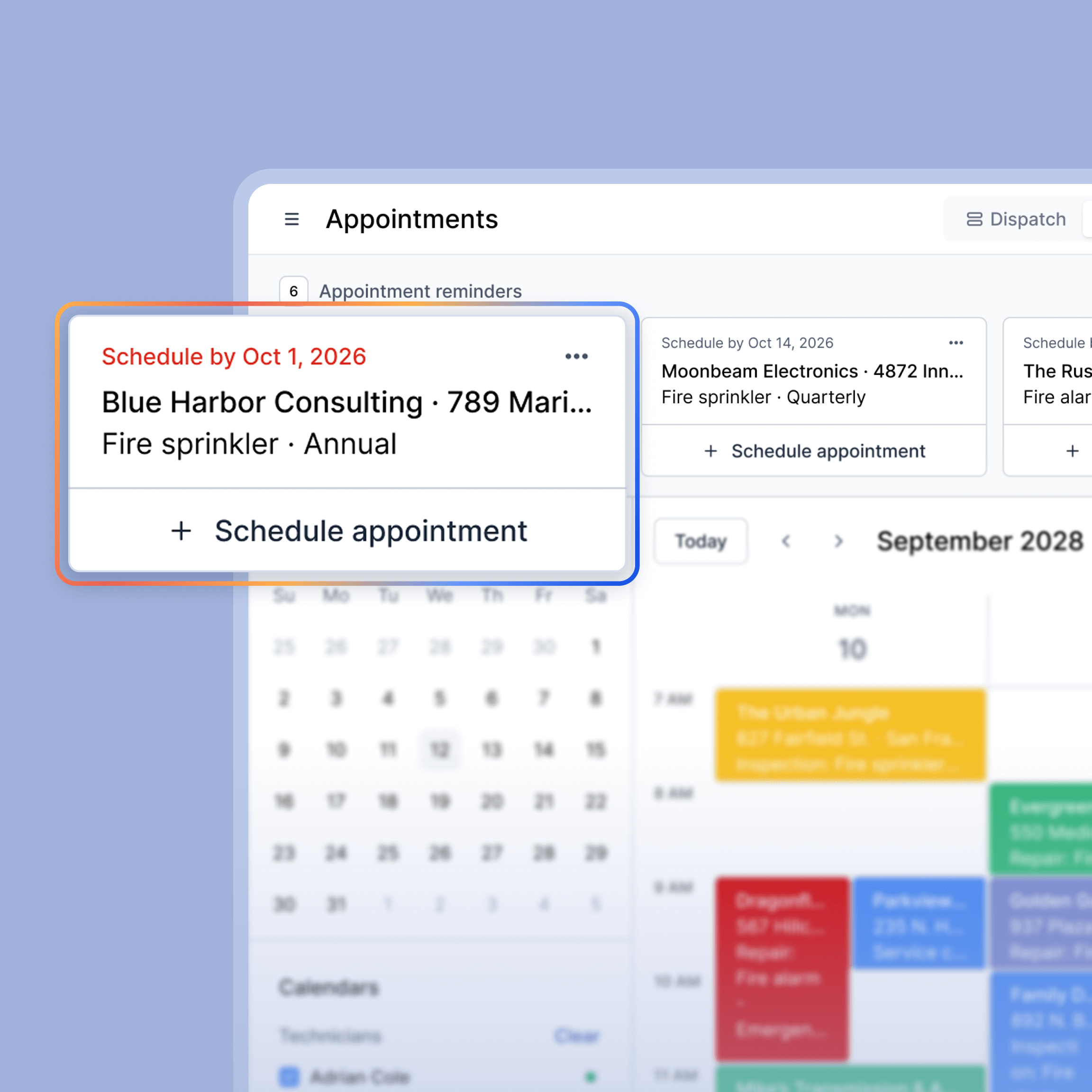
Recurring Inspections Stay on Schedule
Inspections happen on a set cadence, and Ember tracks that cadence for every account, so upcoming and overdue work gets flagged before it's missed.
- Upcoming and overdue inspections are flagged automatically, so nothing slips past its due date
- Technicians are notified when a job is added to their schedule and any time it changes
- Rescheduled or reassigned jobs update across the whole team as soon as the change is made, so technicians are never working from an outdated schedule
- Office staff can see which accounts are due soon without pulling a separate report
Everything Your Office Needs to Keep the Team on Schedule

Centralized Calendar
Every technician's jobs, times, and locations in one shared view for the whole office.
.svg)
Real-Time Status
See who's checked in, who's finished, and what's left on today's schedule.

Recurring Inspection Tracking
Upcoming and overdue accounts flagged automatically at the account level.

Automated Notifications
Techs are notified when a job is added to their schedule or changed.

Reschedule Sync
Move a job and it updates on the technician's device immediately, no separate call needed.

Offline Access
Job details and schedules stay accessible in the field even when signal drops.
Frequently Asked Questions
What is Ember's fire inspection scheduling software?
Ember tracks inspection frequency at the account level, whether it's quarterly, semi-annual, annual, or another cadence, and flags accounts as they come due. It's built around NFPA inspection cycles specifically, not generic appointment booking, so nothing depends on someone tracking dates by hand.
Can Ember track technicians in real time?
Yes. Ember shows live status for every technician, including who's checked in, who's finished, and what's left on the schedule, so the office can adjust the day's plan without calling around for updates.
Does Ember track recurring fire inspections automatically?
Yes. Inspection frequency is tracked at the account level, so annual, semi-annual, and quarterly inspections are flagged as they come due, and overdue accounts are surfaced before they slip past due.
What happens when a job gets rescheduled?
Rescheduled or reassigned jobs update across the whole team immediately. The technician's device reflects the new schedule right away, and office staff see the same change on their calendar.
See How Much Time You're Leaving on the Table
Most fire contractors who switch to Ember find they were spending hours every week on admin that should take minutes. Get a free demo and we'll show you exactly how it works, field to office, inspection to invoice.
Get a Free Demo


