
Digital Fire Inspection Forms
NFPA-compliant inspection forms on your techs' phones, prefilled with customer, asset, and prior data, synced to the office the moment jobs end.
Get a Free Demo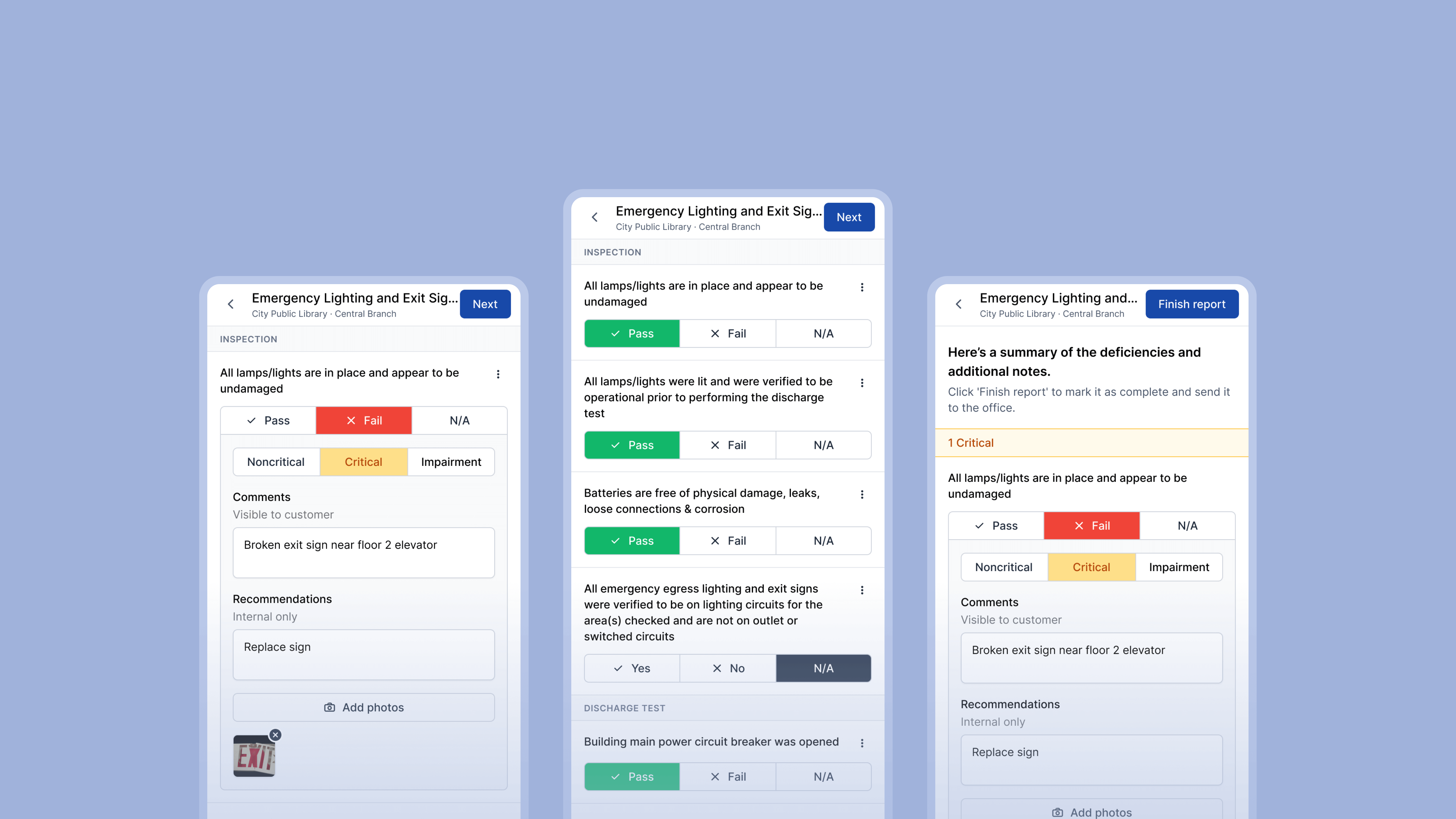
Forms Prefilled and Built for NFPA Compliance
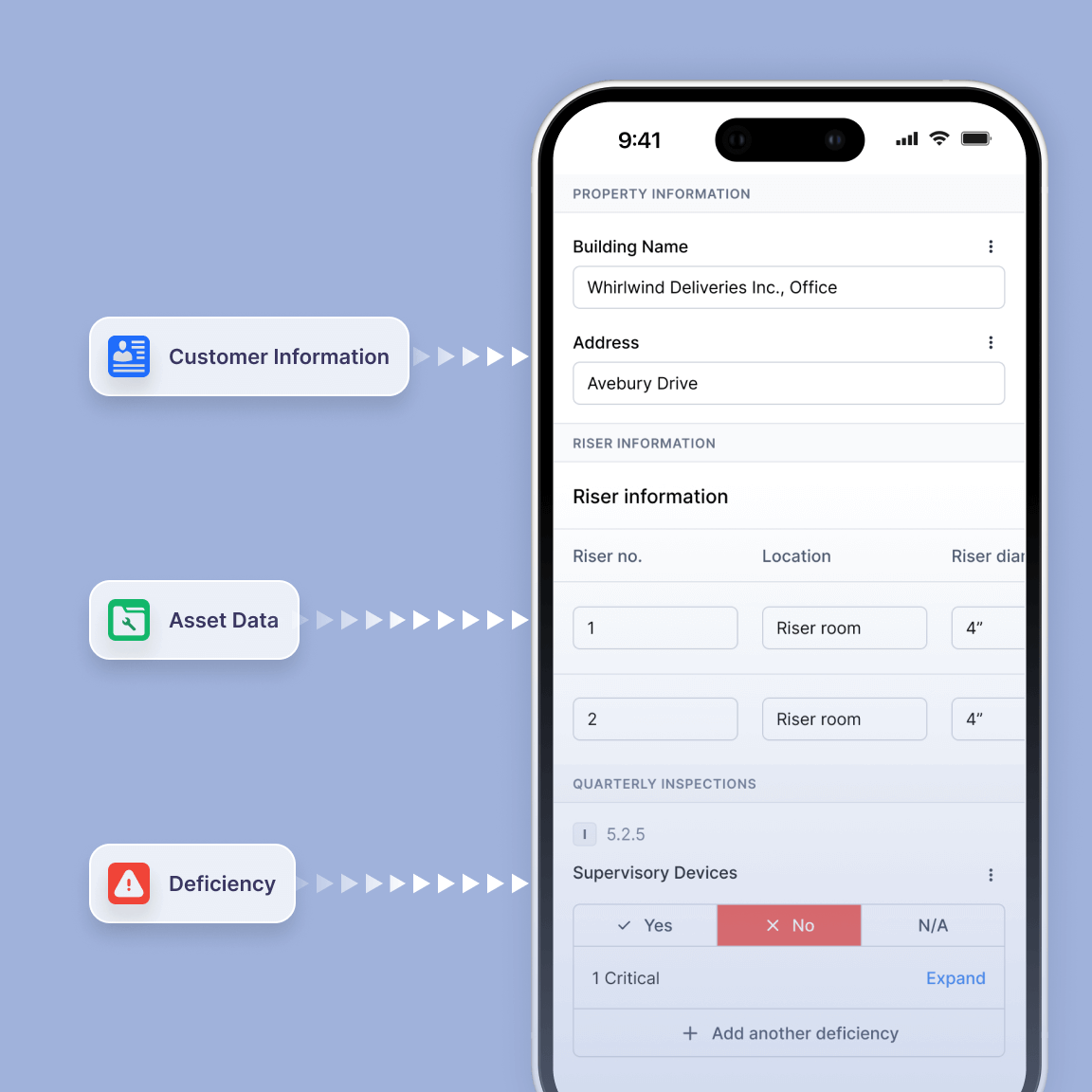
Every inspection form in Ember comes loaded with customer, asset, and prior inspection data, and built around NFPA requirements so nothing gets missed and nothing has to be re-entered.
- Forms prefill with customer details, asset records, and prior inspection data before the tech arrives on site
- Forms are built to NFPA 25, NFPA 72, and related standards, covering every inspection type your team runs including fire alarm, sprinkler, extinguisher, kitchen suppression, and more
- Required fields ensure every inspection is fully documented before the tech leaves the job site
- Inspection data captured in the field flows automatically into reports, proposals, and AHJ submissions

Inspection Data that Connects to Proposals, Reports, and Submissions
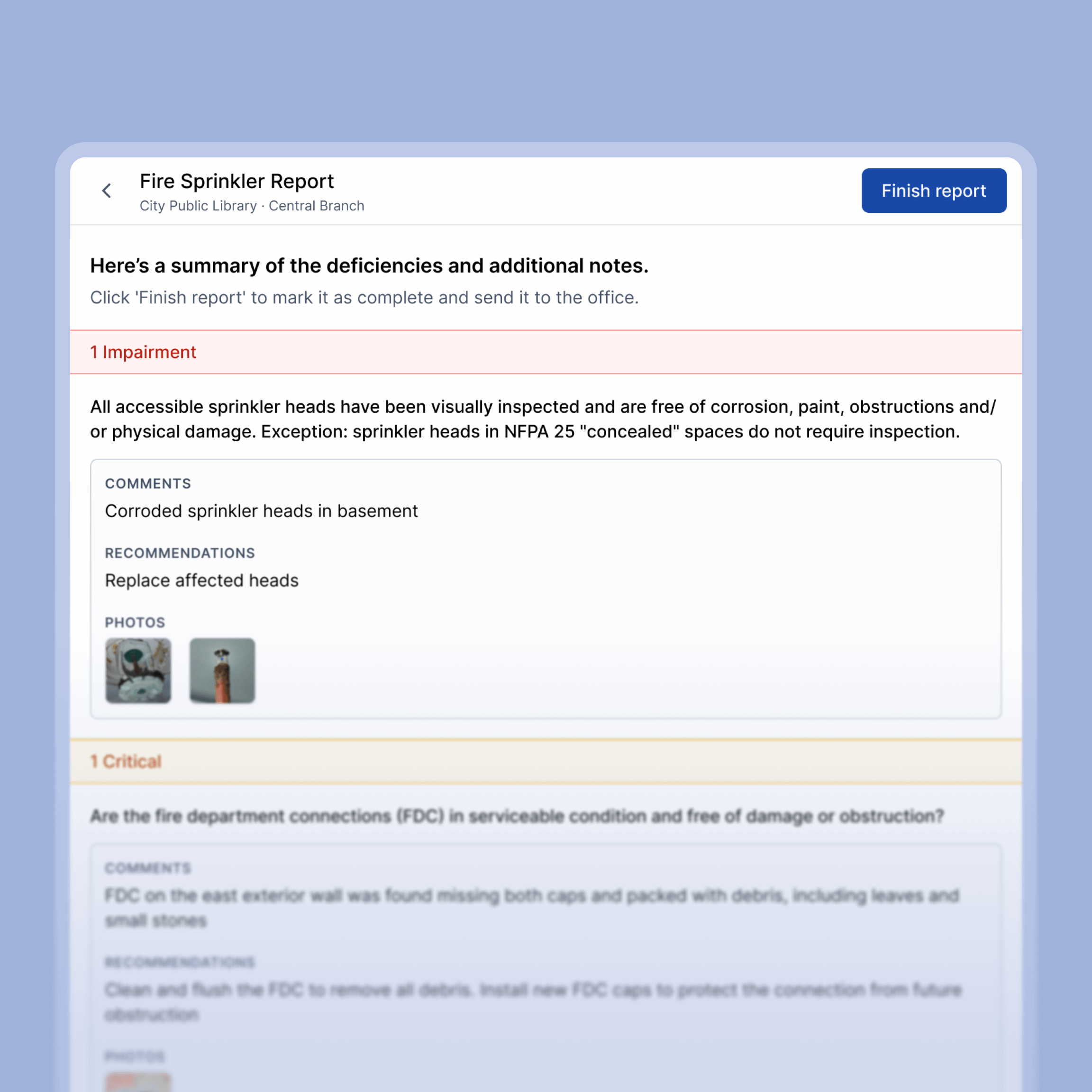
What your tech captures during an inspection doesn't stay in the form. Deficiency details, photos, and field notes flow directly into the proposal, the deficiency report, and the AHJ submission automatically.
- Deficiencies are documented with photos, notes, and pass/fail data during the inspection
- Required fields ensure every deficiency is fully captured before the tech moves on
- Deficiency data flows directly into proposals so the office can send a quote without rebuilding anything from scratch
- Everything documented in the field is ready for AHJ submission without reformatting
Inspections Completed Correctly the First Time
Required fields and structured data mean techs complete every inspection correctly before leaving the job site. Nothing gets missed, nothing gets filled out wrong, and nobody has to go back.
- Required fields prevent techs from completing an inspection with missing information
- Structured data means every inspection is documented the same way regardless of which tech is on the job
- Photos and notes are captured directly in the form so nothing gets lost between the field and the office
- When an inspection is done in Ember it is done correctly, reducing the back and forth between the field and office
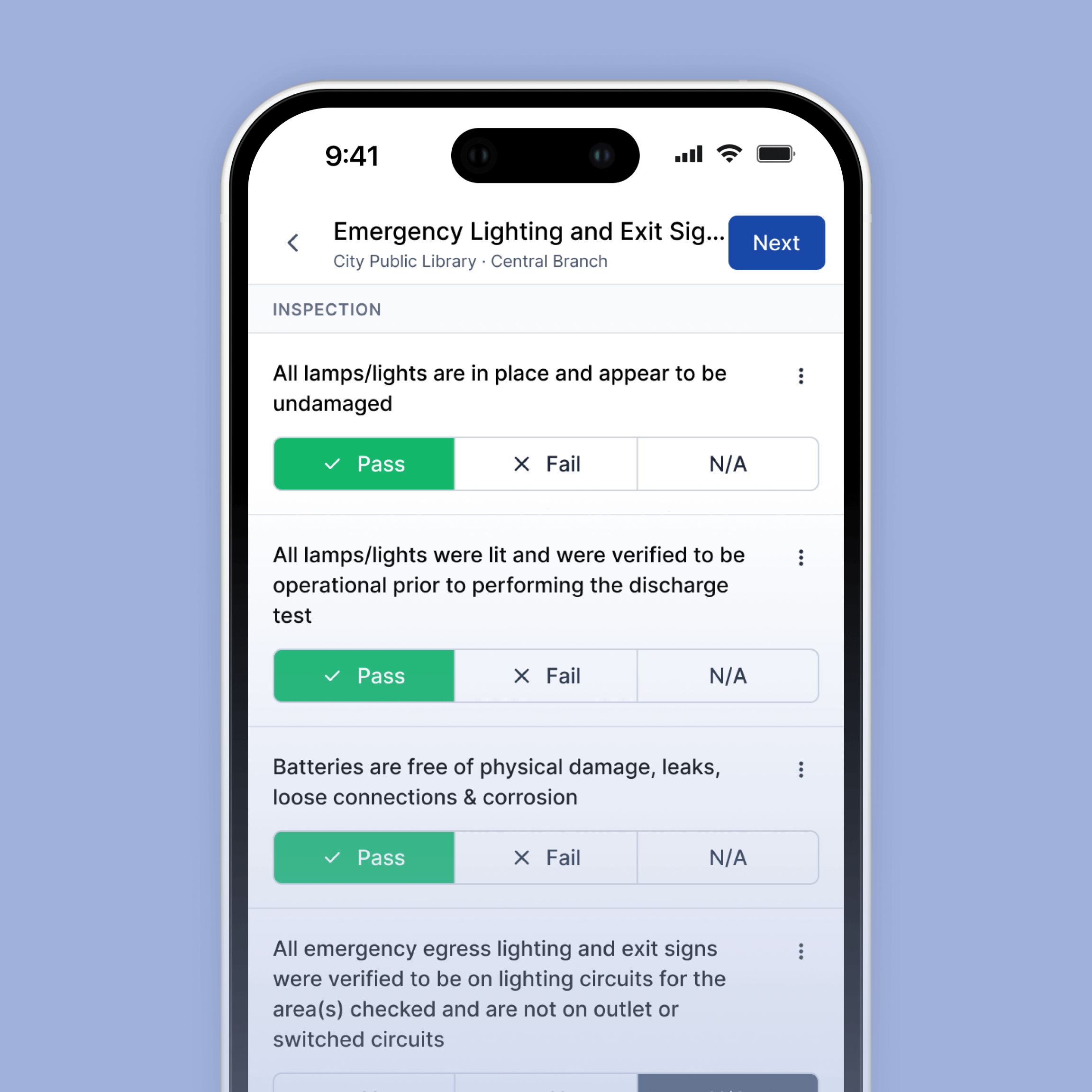
Inspection forms purpose-built for fire inspections. Not paper or generic form builders.



Everything Your Techs Need in the Field

Prefilled Forms
Customer, site, asset, and prior inspection data are already filled in before your technician begins.

Required Fields
Mandatory fields ensure every inspection is fully documented before it can be completed.

Offline Access
Complete inspections anywhere, even without cell service. Everything syncs automatically when you’re back online.

Deficiency Capture
Failed items are tied directly to assets and flow into proposals, reports, and invoices.

Photo & Notes
Attach photos, comments, and documentation directly to inspection items while on site.

AHJ-Ready Reports
Completed inspections flow directly into reports and AHJ submissions without re-entry.
Frequently Asked Questions
What are digital fire inspection forms?
Digital fire inspection forms replace paper inspection sheets with mobile forms your techs complete on a phone or tablet. With Ember, those forms arrive prefilled with customer and asset history — and sync to the office automatically when the inspection is complete.
Do the forms work without a cell signal?
Yes. Ember works fully offline. Techs can complete inspections in basements, remote sites, or anywhere with no service. Everything syncs when the device reconnects.
What inspection types does Ember support?
Fire extinguisher, fire alarm, sprinkler, kitchen suppression, emergency lighting, backflow, fire pump, hydrant, and deficiency follow-up forms. If your team inspects it, there's a form for it.
Are Ember's forms built to support NFPA requirements?
Yes. Ember's forms are designed to support NFPA 25, NFPA 72, and related documentation requirements — with required fields, deficiency tracking, timestamps, and technician attribution on every inspection.
See How Much Time You're Leaving on the Table
Most fire contractors who switch to Ember find they were spending hours every week on admin that should take minutes. Get a free demo and we'll show you exactly how it works — field to office, inspection to invoice.
Get a Free Demo


