
Ember Proposal Margins and Price Groups: Know Your Margin Before the Proposal Goes Out
Add cost to any line item and see your margin while you build the proposal. Price groups let you bundle related work and decide exactly what the customer sees.
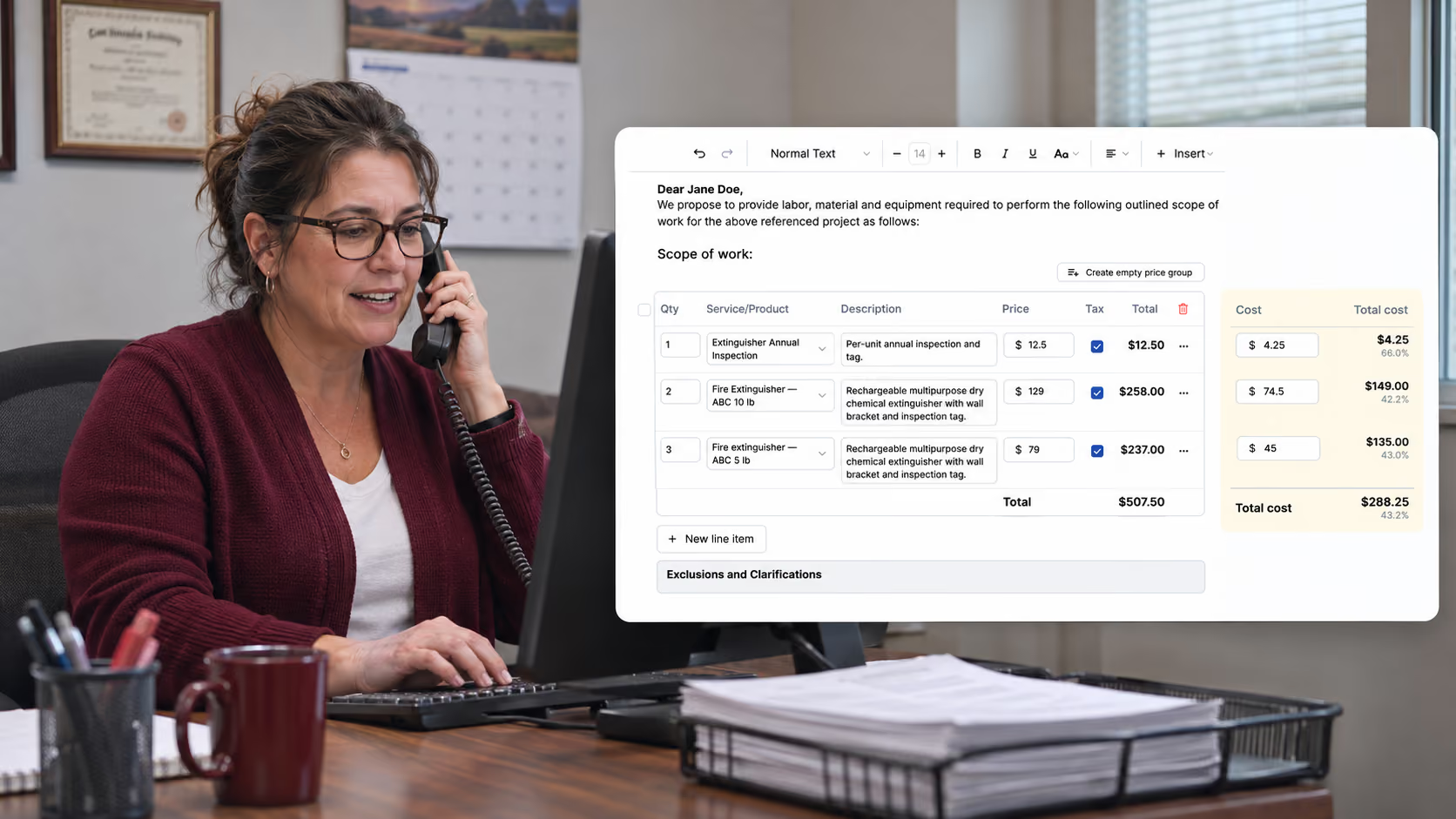
An annual fire alarm inspection turns up a dead smoke detector, a weak panel battery and a horn strobe that needs replacing. The repair proposal gets built in one place, the costs live in a spreadsheet, and the margin gets worked out on a calculator after the prices are already set. For a lot of contractors, that's still how it goes.
Ember's latest update puts cost and margin right on the proposal as you build it, and gives you more control over how line items are organized and how they show up for the customer.
Cost and Margin, Right Next to the Price
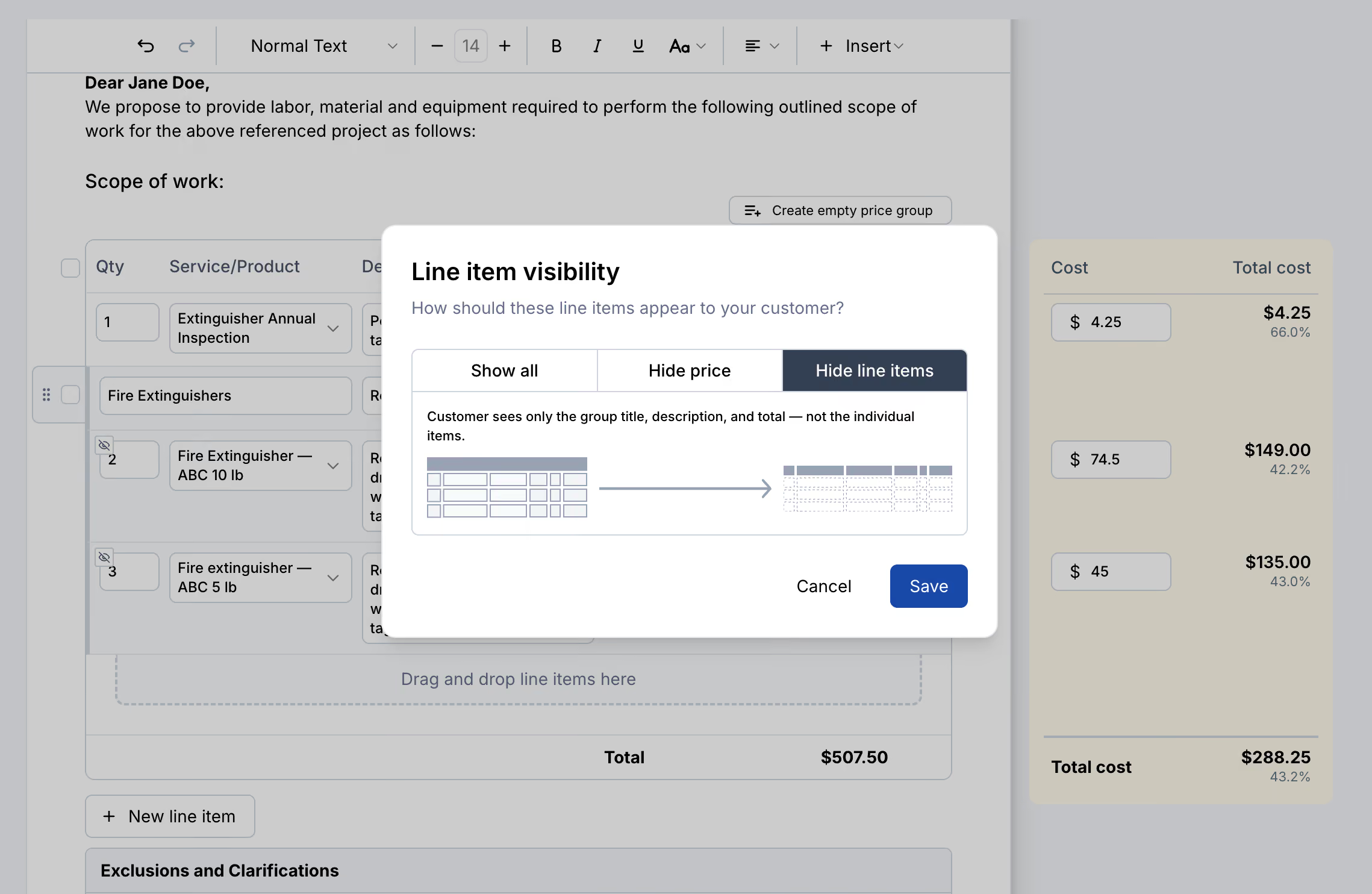
Enter what a line item costs you, and Ember shows the cost and margin for that line as you go. At the bottom, you get total cost and margin for the whole proposal.
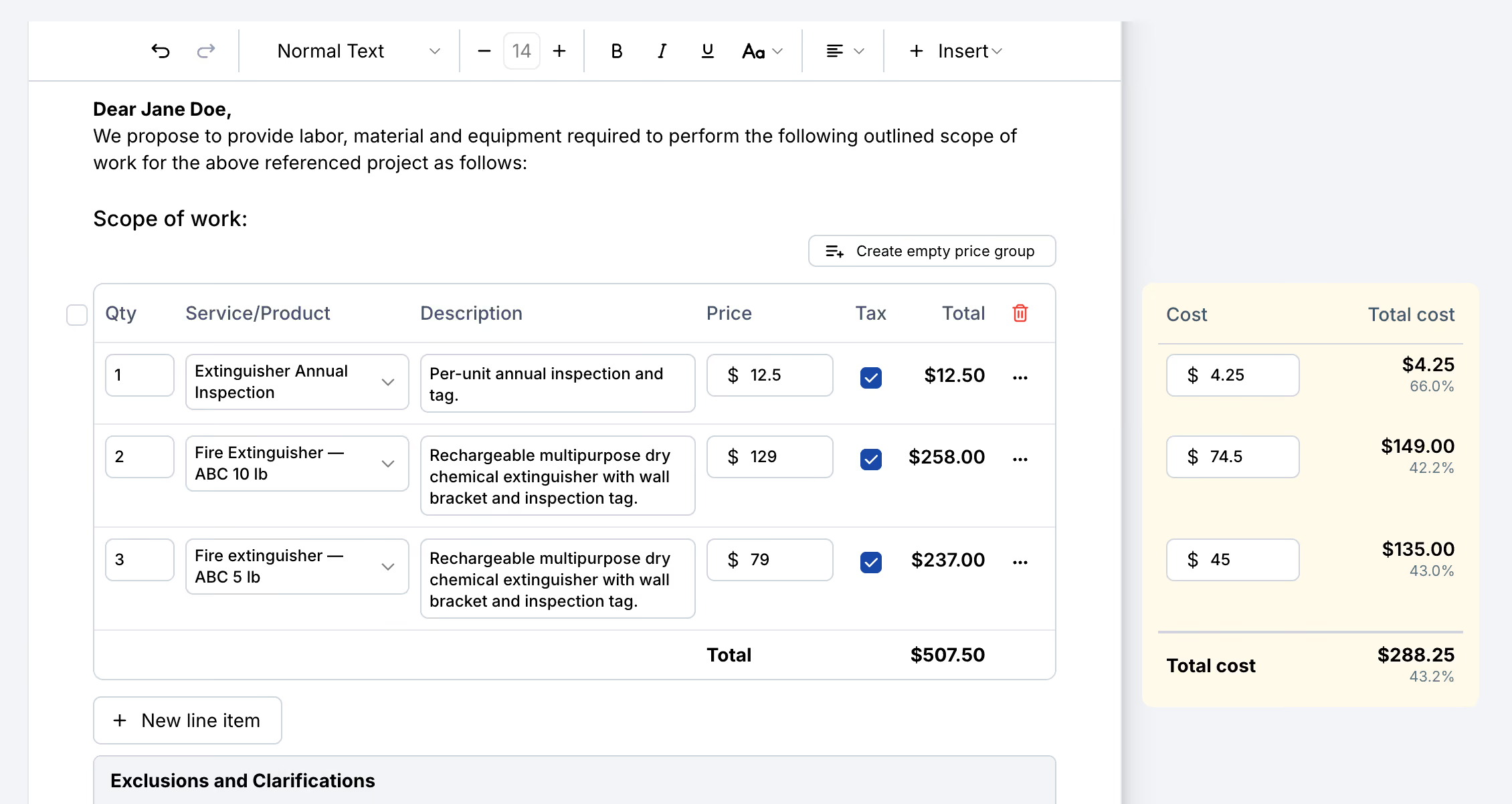
If your company works to a minimum margin, your team can check every proposal against it before it goes out, not after the job is already booked. The cost column sits beside the proposal, not on it, so your customer sees your prices and nothing else.
Group Related Work Under One Price
A proposal reads better when related work is grouped the way the customer thinks about it. The inspection is one thing. The deficiency repairs are another. Nobody wants to read a flat list of parts and labor.
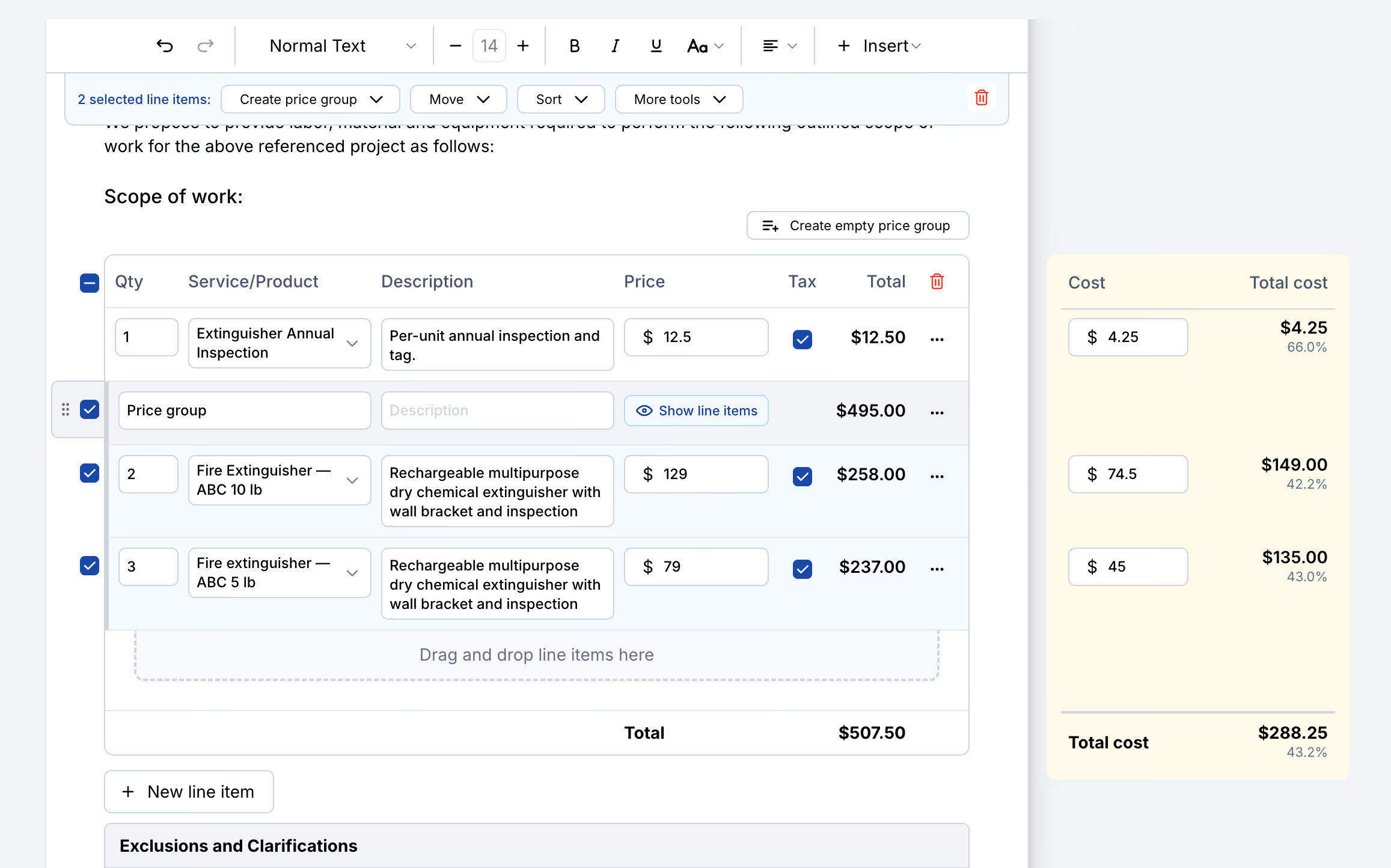
Price groups let you bundle related line items under one heading. Create a group, drag the items into it, give it a name like "Fire Extinguishers," and add a description. Drag and drop works across the whole list, so reordering line items takes seconds instead of deleting and re-entering them.
Select several line items at once and you can move, sort, or duplicate them together.
Decide What the Customer Sees
Every price group has a visibility setting. You build the proposal with full detail so your pricing and costs are accurate. Your customer sees only what you choose.
- Show all. Every line item in the group appears with its quantity and price.
- Hide price. The customer sees the line items listed under the group, with one total and no individual prices.
- Hide line items. The customer sees only the group name, description, and total.
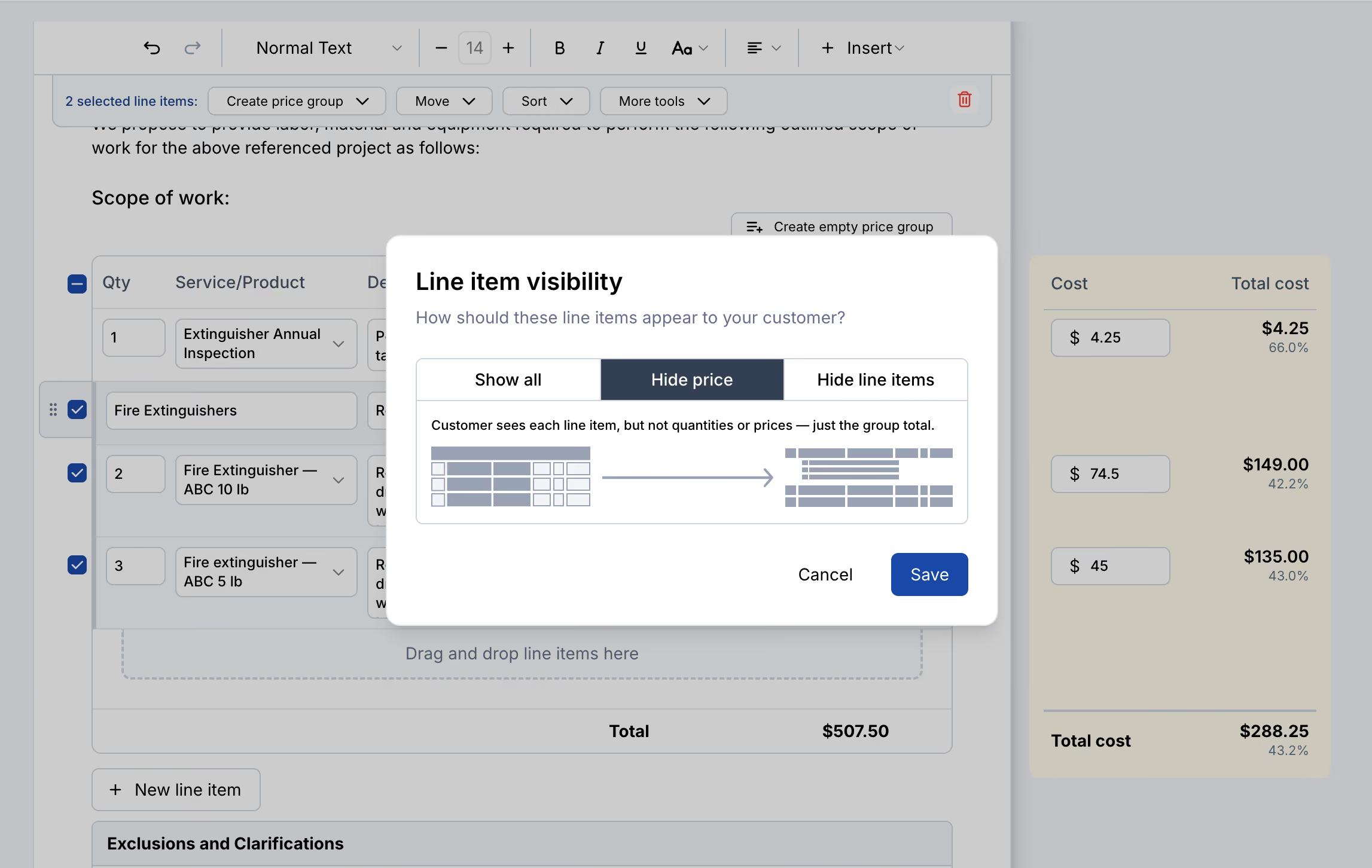
With prices hidden, the customer still sees each item listed out, just not what each one costs.
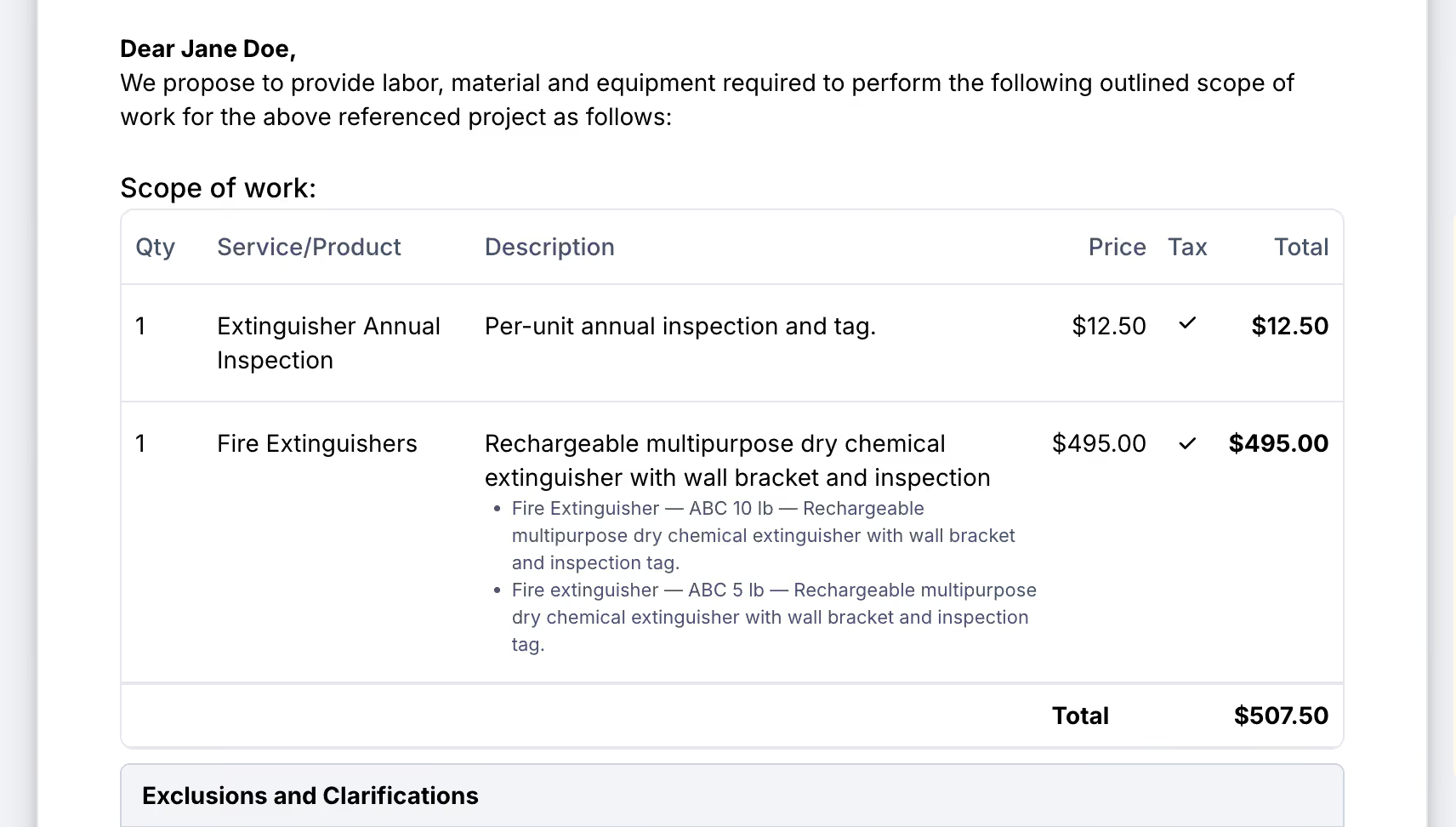
Hide the line items entirely and the whole group collapses into one clean line.
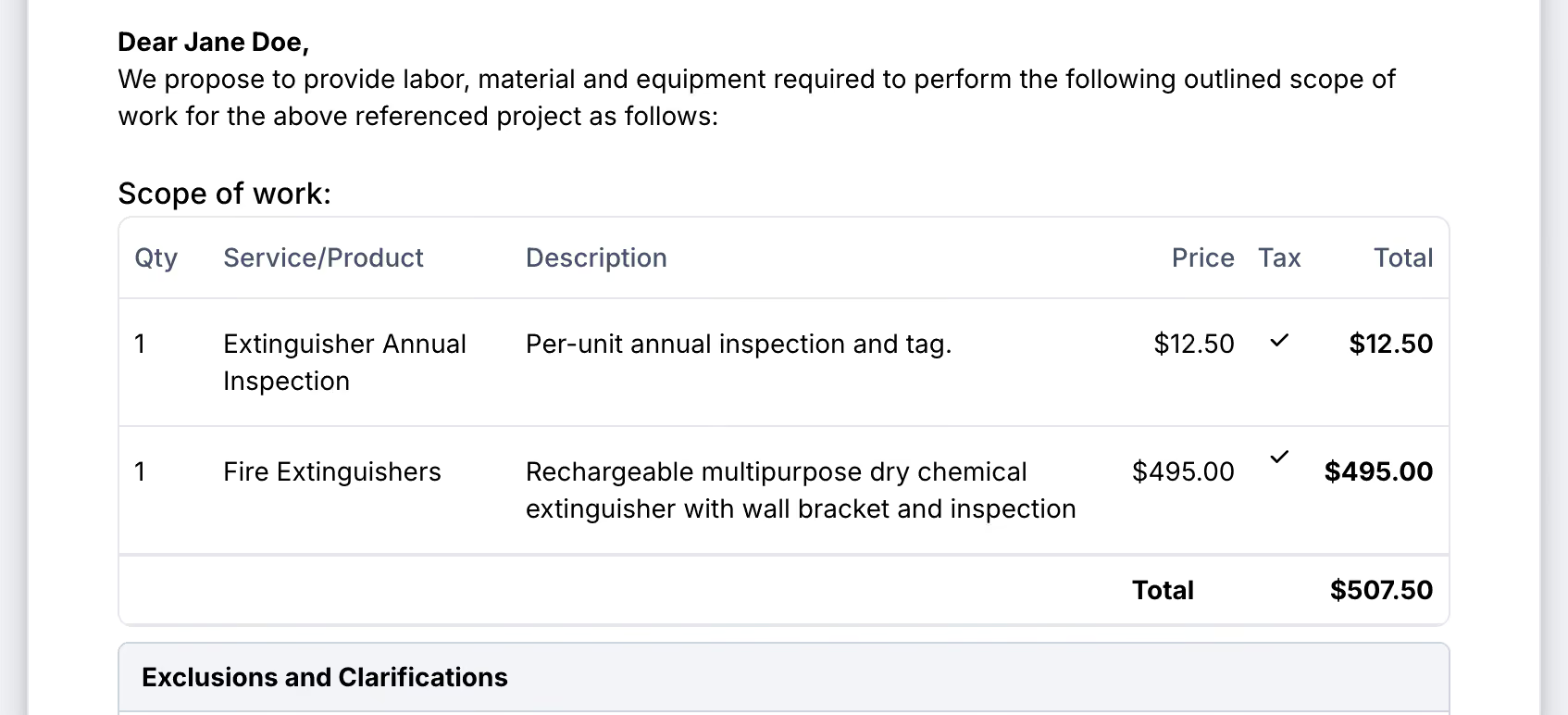
No itemized breakdown to pick apart, no second version of the proposal to keep in sync, no losing detail on your side to keep things simple on theirs.
Same Line Items on Proposals, Jobs, and Invoices
Drag and drop, price groups, and line item visibility aren't limited to proposals. They work the same way on jobs and invoices, anywhere line items show up in Ember. Your office gets the same tools whether it's quoting, scheduling, or billing.
Want to see proposal margins and price groups on your own proposals? Book a demo and we'll walk you through it.
News & Resources



Ready to simplify your fire inspection workflow?
Get a Free Demo


