The 5 Best Fire Inspection Software Tools for 2026
Trying to choose fire inspection software but don’t know what makes a platform good? Check our guide to picking the best fire inspection software in 2026!

Key Takeaways
- Choosing fire inspection software isn't just about going paperless. The right platform can speed up your field workflows, keep you compliant with NFPA standards, and eliminate the back-and-forth between your techs and your office.
- The platforms worth your attention come with pre-built NFPA forms ready to use on day one, offline functionality so field data doesn't disappear in a dead zone, and a workflow that turns deficiencies into proposals without anyone re-entering the same information twice.
- If you want a platform that's purpose-built for fire inspection, with pre-built NFPA forms, automated fire pump reporting, one-click AHJ submissions, and a team that actually picks up the phone, Ember is worth a serious look.
- The best way to choose fire inspection software is to start with your biggest bottleneck. Compliance headaches, scheduling chaos, and lost field data all point to different priorities, and the right software should solve your most pressing problem without months of setup to get there.
Fire inspection software can have a major impact on how efficiently your team works, how accurately reports are completed, and how easily you stay aligned with compliance requirements. With many platforms on the market, it can be difficult to tell which options truly support your workflow and which ones may create more friction over time.
To help you narrow down your search for the best fire inspection software, review our guide to five of the most widely used platforms, with an honest look at what each one does well and where it falls short.
What Makes a Good Fire Inspection Software?
NFPA fire inspection software that is worth your attention shares the following qualities:
- NFPA-compliant forms ready on day one (not something your team has to build)
- Offline functionality that protects field data when cellular signal disappears
- A workflow that automatically converts flagged deficiencies into proposals without requiring your team to re-enter data by hand
- AHJ-ready reporting, centralized scheduling, and accounting integrations
Fire Inspection Software Comparison at a Glance
TCE = The Compliance Engine integration.
Pre-built = NFPA-compliant forms ready to use on day one.
The 5 Best Fire Inspection Software in 2026
1. Ember Software
Best for fire inspection companies that want a modern, purpose-built platform with fast setup and responsive ongoing support.
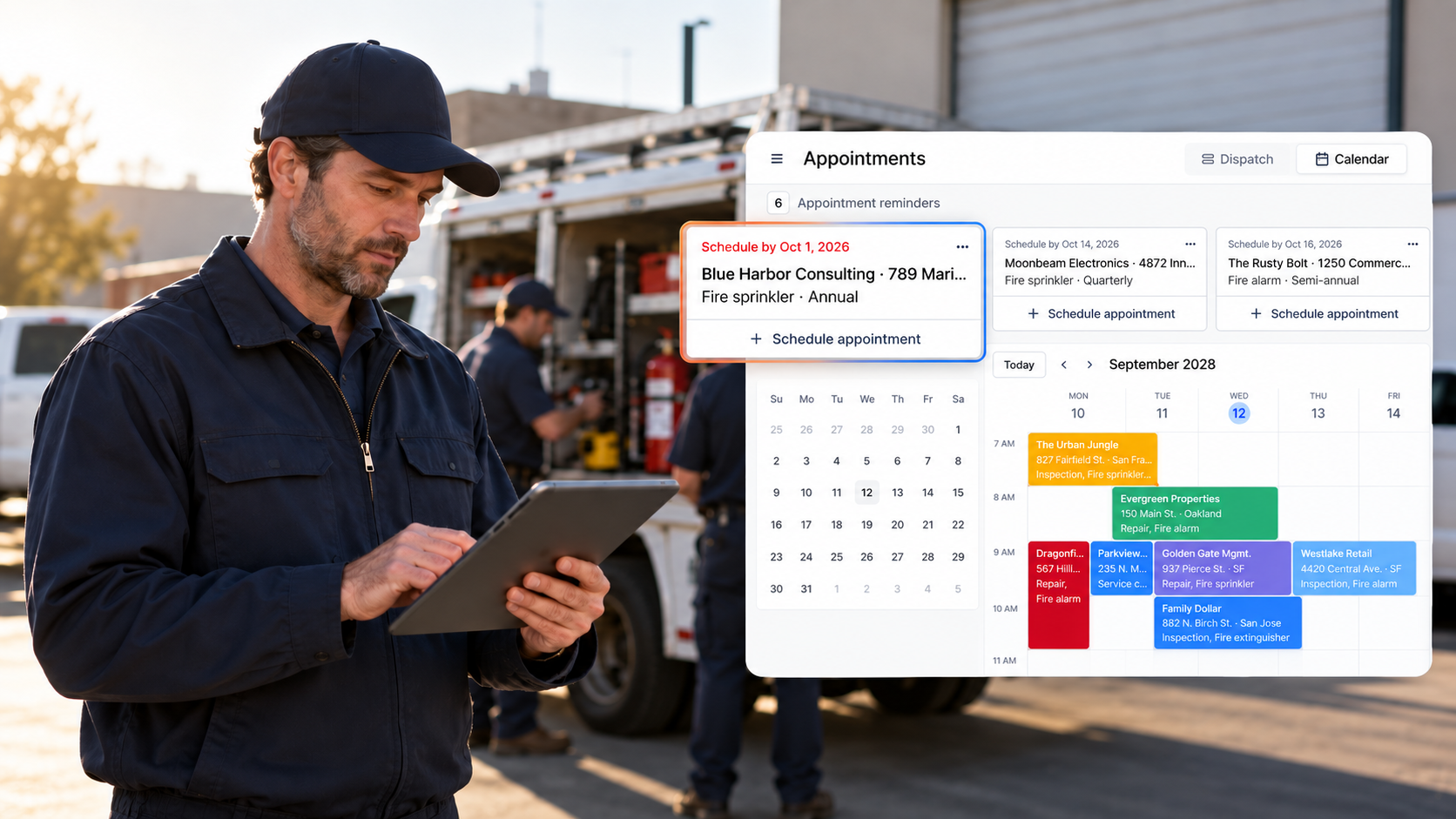
Ember is a purpose-built fire inspection platform that combines digital NFPA and state-specific forms, mobile access, scheduling, proposals, billing, and AHJ submission workflows in one system. Alongside a suite of comprehensive features, Ember auto-populates forms with customer and asset history to streamline a technician’s workflow. With this platform, technicians can keep working offline, field notes and deficiencies can flow straight into proposals, and office teams can track AHJ submission statuses without relying on paper handoffs.
Pros
- Auto-populated forms: Eliminate repetitive data entry on multi-riser and multi-system sites, cutting inspection time significantly on complex jobs
- Automated fire pump curve plotting: Generates completed reports in seconds, replacing a process that previously required up to 45 minutes and an office trip
- One-click deficiency-to-proposal conversion and AHJ submissions: Deficiencies convert to proposals and AHJ submissions go out through Brycer's The Compliance Engine, IROL, and LIVSAFE without manual re-entry between steps
- Customer support: Consistently described as hands-on, fast, and proactive, with dedicated account managers and documented same-day resolution on reported bugs
Cons
- Newer to market: The template library ecosystem is still expanding compared to older platforms, and companies with highly specialized inspection types should confirm coverage during a demo
- Third-party integration ecosystem: More limited than some older competitors, which may matter for companies already running established ERP or accounting workflows
2. Inspect Point
Best for fire inspection companies that need broad compliance coverage and can absorb a longer onboarding timeline and annual contract commitment.
Inspect Point covers a range of fire protection trades through pre-built templates for NFPA, ULC, JCO, and DNV standards, along with a built-in AI assistant that flags code gaps during inspections and generates submission-ready reports. For companies managing high compliance volumes across multiple trades, the template depth may justify the investment. That breadth, however, comes at a cost in setup time, support responsiveness, and commitment structure.
Pros
- Wide compliance library: Pre-built templates spanning NFPA, ULC, JCO, DNV, and several local jurisdictional standards across fire protection trades
- AI Inspection Assistant: A built-in tool that guides technicians through code requirements in the field and flags gaps before submission
- End-to-end workflow: A deficiency-to-proposal-to-invoice pipeline with QuickBooks integration closes the loop between field work and billing
Cons
- iOS only: The mobile app runs exclusively on Apple devices, so any technician on Android is locked out before the first inspection
- Support responsiveness: Multiple verified users report slow response times, and feature requests are frequently met with "we don't offer that feature at this time" rather than a concrete timeline
- Reporting limitations: Users note difficulty running key reports, including invoice reports by status, full client lists, and complete building reports
- Onboarding timeline: Several customers report that reaching full operational efficiency took significantly longer than expected, with some describing the initial training as inadequate
3. ServiceTrade
Best for multi-trade companies where fire protection is one of several service lines, not the primary operational focus.
ServiceTrade is a field service management platform for commercial contractors across HVAC, mechanical, and fire protection. Its strength is breadth across trade lines rather than depth in any single one. Because fire protection isn't its primary focus, NFPA workflows require additional configuration, the inspections module is an add-on rather than a core feature, and companies that run fire-specific operations tend to find the platform requires more workarounds than a purpose-built tool.
Pros
- Customer Service Portal: Gives building owners a self-service hub for inspection history and open repair quotes, which can reduce inbound service calls
- Multi-trade FSM coverage: Connects scheduling, dispatch, and invoicing across trade lines for contractors running fire alongside other service lines
Cons
- Annual contract with implementation fees: ServiceTrade requires an upfront implementation fee with no month-to-month option, a meaningful commitment before the fire-specific workflows are even ready to use
- Not fire-specific: NFPA forms require configuration rather than arriving pre-built, which can add weeks to the deployment timeline before a compliant inspection goes out the door
- Inspections as an add-on: The inspections module sits outside core platform functionality, meaning teams switch between interfaces depending on the task
- Workflow friction: Users report the form structure can generate duplicate deficiencies when the same question appears multiple times across a form, and inspection tracking frequently requires workarounds
- Update disruptions: Verified users describe platform updates rolling out mid-workday, leaving technicians stranded at customer sites while waiting for the system to stabilize
4. BuildingReports
Best for large enterprises and institutional facilities where audit trail depth takes priority over end-to-end operational workflow.
BuildingReports has a well-established niche: device-level compliance documentation at scale, with over 13 million inspections on record. Its ScanSeries suite uses barcode and NFC scanning to create a documented record of technician presence at each device. That documentation focus is the platform's core strength and its main limitation. BuildingReports handles compliance records well and almost nothing else, making it more of a compliance add-on than a platform most growing fire contracting firms can run their business on.
Pros
- Device-level scanning: Barcode and NFC scanning create a documented record of technician presence at each individual device, which holds up in audit-heavy environments
- ComplianceCenter hub: A free hub that gives AHJs direct access to compliance data, a meaningful advantage in heavily regulated sectors
Cons
- Enterprise positioning: The platform's pricing and complexity skew toward large institutional clients, which can make it a poor fit for mid-size fire contracting firms that need an operational platform, not just a documentation layer
- Compliance documentation only: Deficiency management, proposal generation, and invoicing are not available on the platform, so every operational step beyond documentation requires a separate system
- Two-system overhead: Companies running BuildingReports almost universally pair it with a separate FSM tool, which means two sets of data to manage and reconcile on an ongoing basis
- Hardware dependency: The scanning-first approach requires purchasing compatible hardware before field teams can start
- Dated interface with heavy initial setup: The interface has not kept pace with modern platforms, and first-time data entry requirements are substantial enough to create a meaningful ramp-up period
5. Uptick
Best for fire inspection companies willing to invest significant time and budget upfront, and that can build compliant US workflows before running the first inspection.
Uptick is an Australian-built platform now serving US, UK, and Canadian markets. It covers scheduling, inspections, quoting, and invoicing in one place, and the interface is relatively clean. The tradeoffs are front-loaded, as US companies must manually build NFPA templates before running a compliant inspection, the cost of entry is among the higher options in the category, and onboarding timelines can stretch well past two months.
Pros
- Full workflow coverage: Scheduling, quoting, and invoicing in one place without requiring manual data transfers between systems
- Ease of use: A clean interface that reduces the learning curve for field technicians who aren't software-first
Cons
- No pre-built US NFPA templates: NFPA forms are not pre-loaded for the US market, so teams must build forms from scratch before the first compliant inspection can go out the door
- High cost of entry: Pricing is consistently described as expensive by users, with a minimum user requirement and implementation fees on top of the subscription; onboarding can take two months or longer
- App instability after updates: Users report crashes following new releases, which is a real risk when technicians are mid-inspection in the field and can't afford downtime
- Built for Australian compliance: Uptick was built for Australian compliance standards and expanded to the US market secondarily, which shows in template coverage and some localization gaps that fire contractors in the US will need to work around
How to Choose the Right Fire Inspection Software for Your Company
Start by identifying where your fire protection company is actually losing time. Compliance gaps, scheduling breakdowns, and lost field data tend to point toward different priorities. The right platform should address your most pressing issue without requiring months of configuration to get there.
Look past the subscription price. Implementation fees, required add-ons, and training time can make a cheaper tool cost significantly more in practice. Ask any vendor specifically what's included on day one versus what requires additional setup or purchase before your first inspection goes out the door.
Finally, weigh how fire-specific the platform actually is. Purpose-built fire inspection software will arrive with NFPA workflows ready to use. In contrast, general-contractor platforms often require your team to build those workflows from scratch, which delays deployment and introduces compliance risk before you've run a single job.
See What Ember Software Can Do for Your Fire Inspection Company
Ember was built for fire inspection companies that want the best fire inspection software without implementation overhead or long-term contracts. Auto-populated NFPA forms, offline mobile access, and fire pump reporting that takes seconds keep techs moving in the field. One-click AHJ submissions go directly through Brycer TCE, IROL, and LivSafe, and bi-directional QuickBooks sync means invoices flow both ways without manual re-entry.
Learn more about our platform’s features today. If you’re ready to see what Ember can do for your team, please schedule a free demo.
News & Resources

Ready to simplify your fire inspection workflow?
Get a Free Demo