Create National Account Work Orders Automatically With AI
Ember's AI reads your National Account PDF work orders and builds a dedicated job for each one, from bulk upload all the way through to invoice.
Key Takeaways:
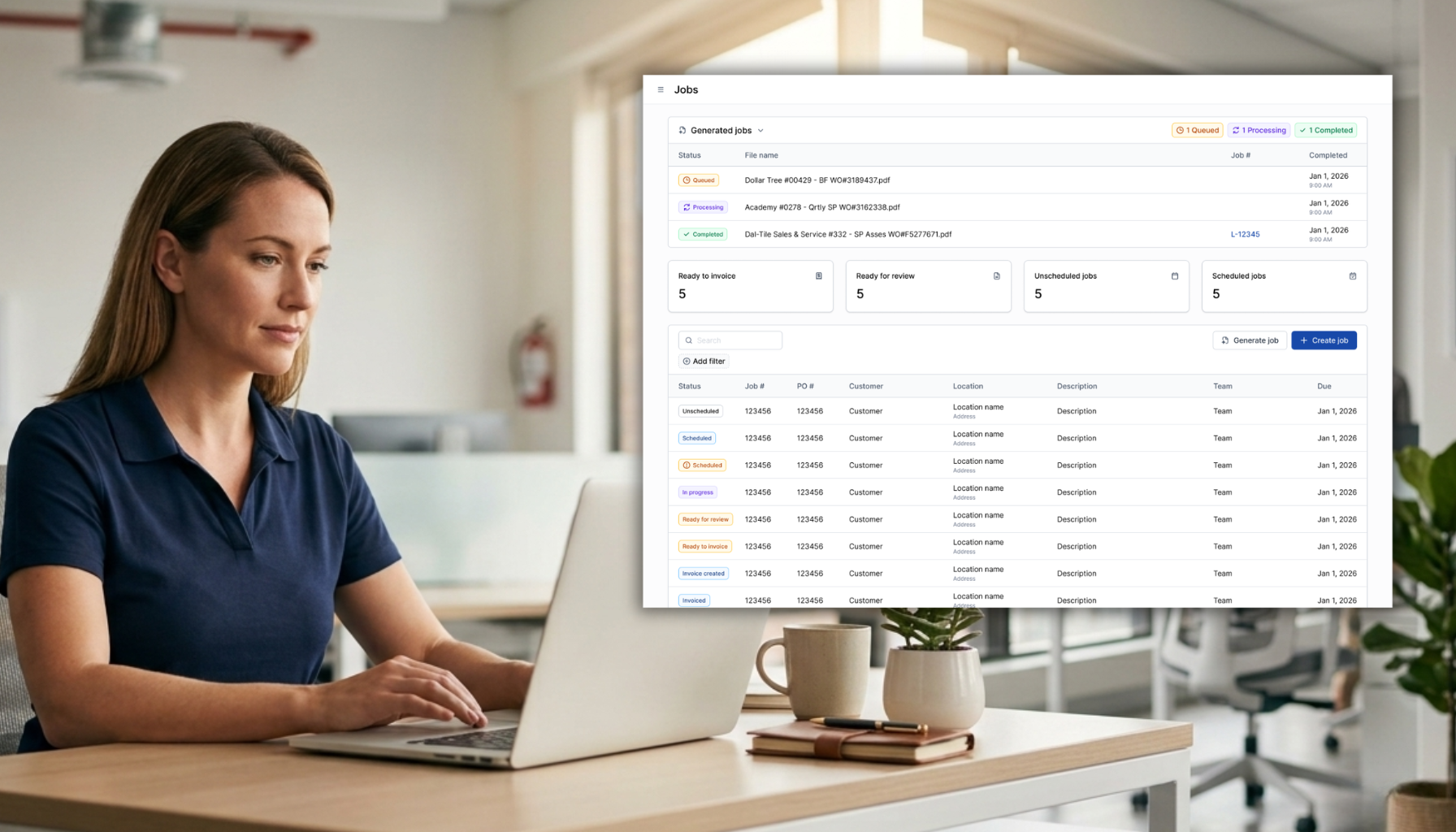
- Ember Software's AI reads uploaded National Account PDF work orders and creates a dedicated job for each one, with the customer, location, scope, due date, and PO number filled in automatically.
- National Account providers subcontract ITM work to local fire protection companies and send out each job as an individual PDF work order.
- Manual work order entry means an office team member opens every PDF and rebuilds it as a job by hand.
- With Ember, each job holds the schedule, inspection reports, field notes, signatures, location history, and the original work order PDF in one record.
- Completed jobs then flow into an invoice that syncs to QuickBooks Online or QuickBooks Desktop with the reports and work order attached.
What Is a National Account Work Order?
A National Account work order is a PDF job request sent by a national provider to a local fire protection contractor, covering inspection or repair work at one location for a nationwide brand.
And if you do inspection and repair work for National Accounts, the manual entry isthe part nobody warns you about.
Here's how it lands on your desk. A National Account provider signs a contract to handle ITM work for a nationwide brand. They don't have technicians in every city, so they subcontract the work out to local fire protection companies like yours. Each job comes to you as a PDF work order. When a brand rolls out a round of inspections or repairs, that can mean a lot of work orders hitting your inbox at once.
Then someone on your office team opens your ITM software and builds a job for every one of them, by hand.
Ember's National Account workflow takes that data entry off your plate. Upload the work orders, and Ember's AI reads each PDF and creates the job for you, automatically.
How Does Ember Create Jobs From National Account Work Orders?
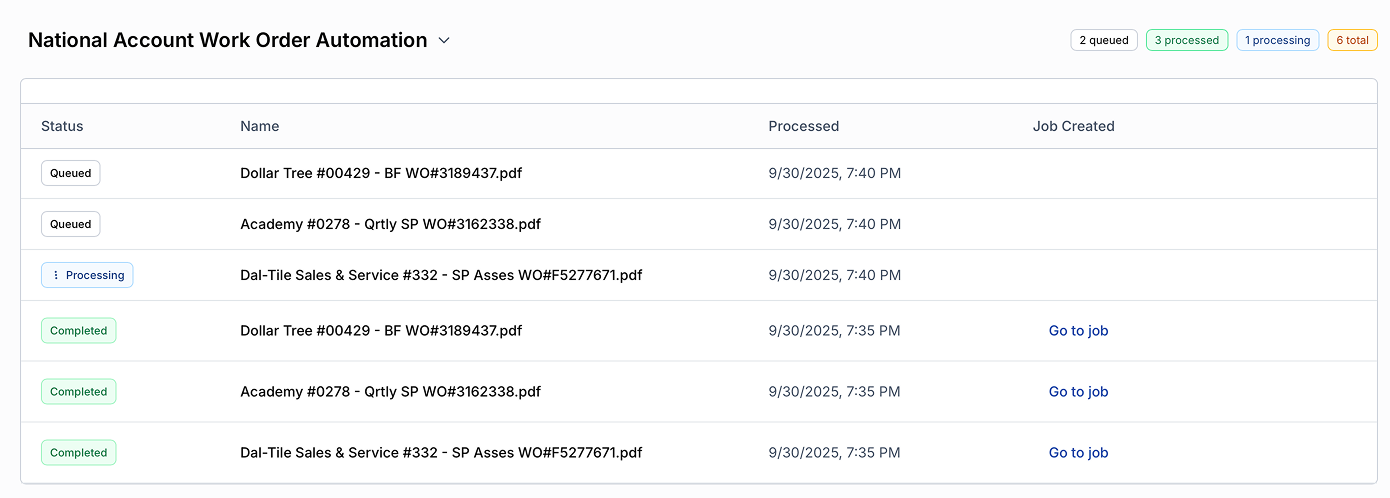
Instead of opening each PDF and typing all its details into a new job, you simply upload the whole batch at once. Ember's AI reads every uploaded National Account work order PDF, matches it to the right customer and location, and creates a job with the scope of work, due date, and PO number already filled in.
And you don't have to babysit it. Navigate away and handle other work in Ember and return to a stack of ready-to-schedule jobs.
Where National Account Work Order Data Lives in Ember
Inside Ember, each work order becomes its own job, a single page that holds everything related to that piece of work. The schedule, the technician's reports, field notes, and signatures, the inspection and customer history for that location, and eventually the invoice, all live in one place. Nothing gets pieced together later from email threads, a shared drive, and whatever software your technicians happen to be using that week.
When Ember creates a job from a work order PDF, it's already filled in with:
- Customer and location, matched automatically with no re-typing
- Scope of work, pulled in full from the PDF
- Due date and PO number, read directly from the work order
- Original work order PDF, attached to the job
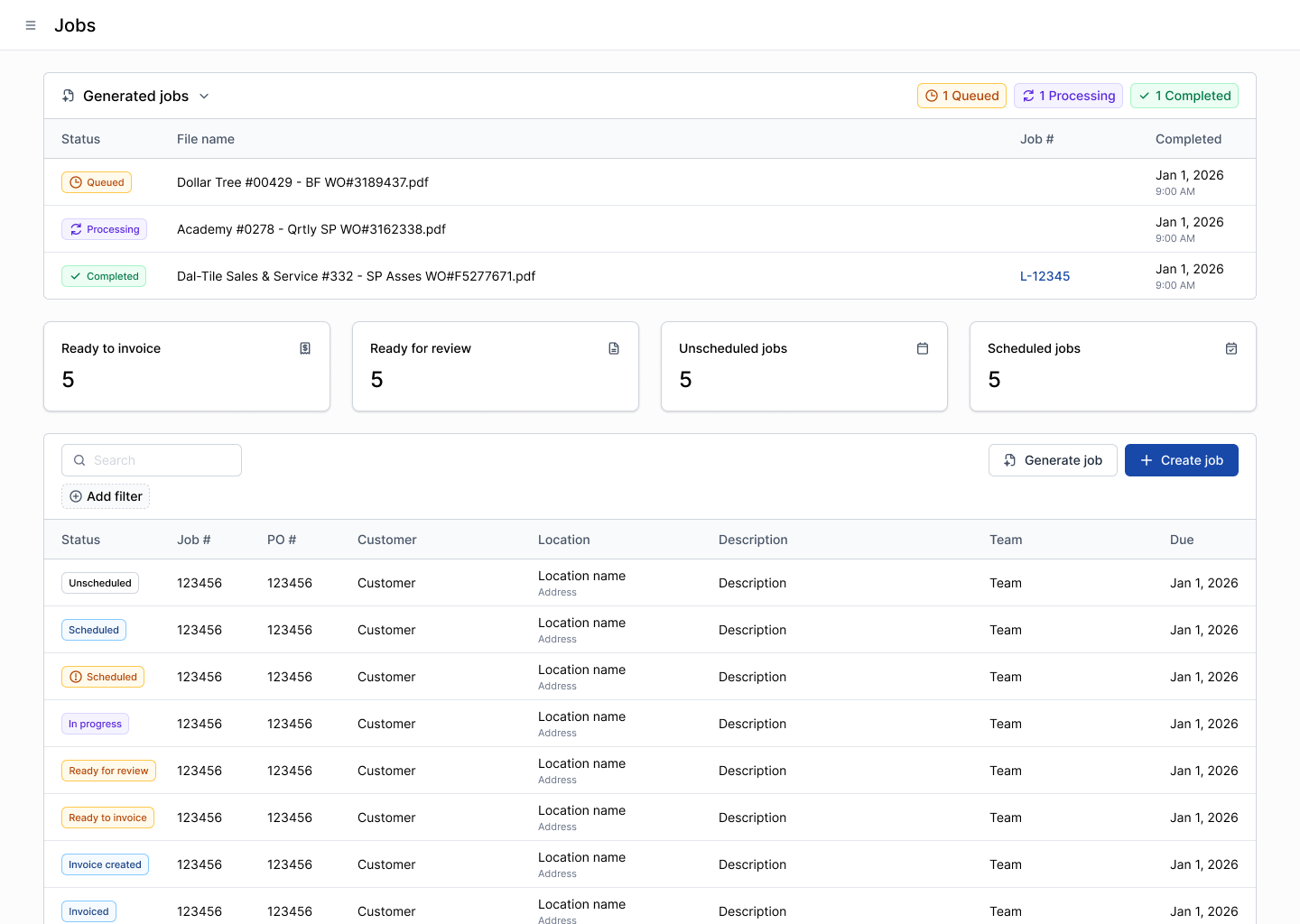
Click into any job to double check the details before you schedule it.
How the Work Order Moves From Scheduling to Invoice
Because the customer, location, and work order are already sitting on the job, scheduling takes seconds: pick the date and time and the technician. Nothing to look up, nothing to re-enter.
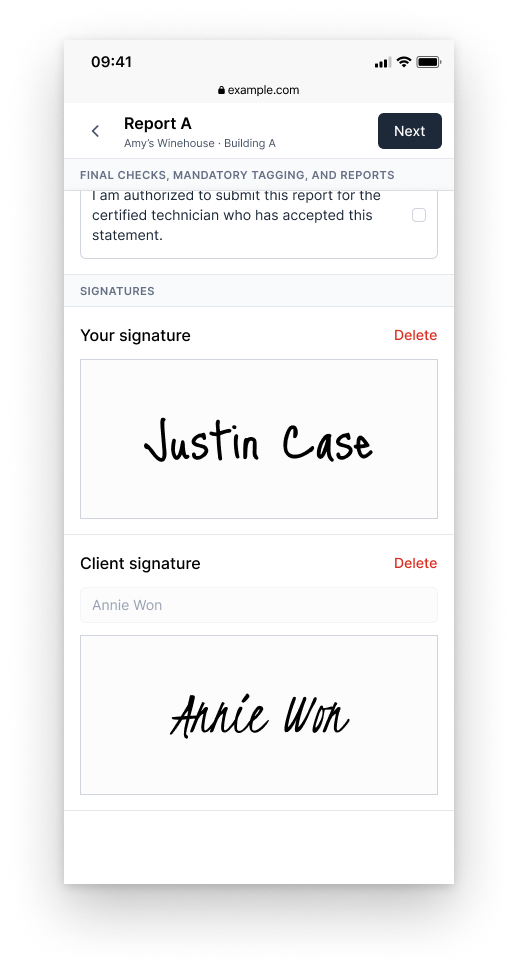
Your technician gets the appointment pushed straight to their phone, work order attached. Out in the field, they complete Ember’s Digital Inspection Forms, then open that same PDF right inside the Ember to add their notes and collect the customer signature, without ever leaving Ember. Online or offline, their progress saves automatically, so a dropped signal or a closed app never costs them their work.
Back in the office, once the report is reviewed, Ember automatically builds the invoice for the job. It can be edited before being pushed to your accounting platform, such as QuickBooks Online, with the reports and completed work order PDF attached. Nothing has to be hunted down, because it was all sitting on the job from the moment the PDF came in.
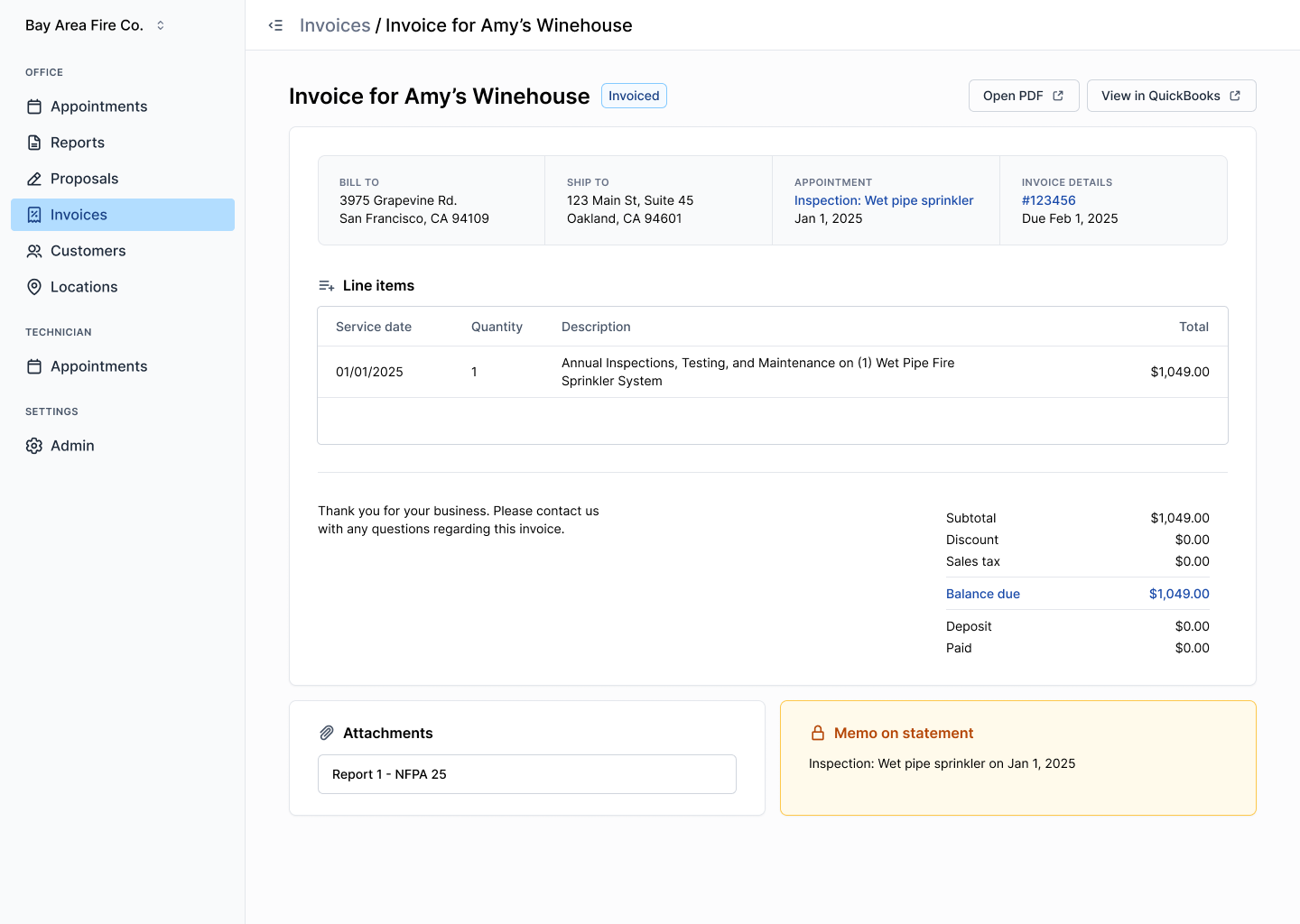
From a stack of PDFs to a sent invoice
That's the value: one upload replaces a stack of manual entries, and everything downstream, scheduling, field work, review, and invoicing, happens from that same job record, without typing the same customer, location, and PO number a hundred times over.
If National Account work orders are eating up your office team's day, schedule a demo and see how much time it hands back to your office team.
Frequently Asked Questions
Can Ember Create Jobs From Multiple Work Order PDFs at Once?
Yes. You can upload a full batch of National Account work orders at once, and Ember's AI reads every PDF in the batch and creates a separate job for each one.
Batch upload is the point of the workflow. Rather than opening one PDF at a time and rebuilding each as a job by hand, your office uploads the whole stack in a single step. Ember's AI works through the files on its own, so your team can move on to other work in Ember and come back to a set of jobs that are ready to schedule.
What Information Does Ember Pull From a Work Order PDF?
Ember reads the customer and location, the full scope of work, the due date, and the PO number from each work order PDF, and attaches the original file to the job it creates.
Each field maps to the part of the job your office would otherwise key in manually. Customer and location matching connects the work order to an existing record, which means the job inherits that site's access notes, inspection history, and prior technician notes. Scope, due date, and PO number populate the job itself, and the source PDF stays available for anyone who needs to check the original.
Does the Work Order PDF Stay Attached to the Job Through Invoicing?
Yes. The original work order PDF stays on the job from upload through invoicing, so it travels with the inspection reports when the finished invoice syncs to QuickBooks.
Everything tied to a National Account job accumulates in one record rather than scattering across email and shared drives. The work order sits alongside the schedule, the completed inspection reports, field notes, and signatures. When your office reviews the job and builds the invoice, the same documentation carries through to QuickBooks Online or QuickBooks Desktop without anyone hunting for the original paperwork.
News & Resources


Ready to simplify your fire inspection workflow?
Get a Free Demo