Paper vs. Digital Fire Inspection Forms: A Comparison
Weighing paper vs. digital fire inspection forms? Compare required fields, offline access, AHJ acceptance, and inspection types you can digitize.
Paper vs. Digital Fire Inspection Forms: A Comparison
Key Takeaways
- The real advantage of digital fire inspection forms over paper and fillable PDFs is that data moves in both directions, for example, pulling in existing customer and asset history and pushing completed inspections into the office system automatically.
- NFPA standards like NFPA 25 don't require a specific format for inspection records, but acceptance of digital submissions still depends on the state and the individual AHJ.
- True digital forms reduce liability by enforcing required fields and correct inspection frequencies before a tech can even submit the report.
- Switching from paper and fillable PDFs to digital works best as a phased rollout, starting with one inspection type and running it alongside your current process for a full cycle.
Most fire protection companies already know digital inspection forms exist. Despite the benefits of switching, many companies are still running on paper or fillable PDFs. The holdup usually comes down to companies not believing the switch is worth disrupting a process that already works, more or less.
This article breaks down what actually separates paper fire inspection forms from digital ones, where fillable PDFs fit into that comparison, and what changes operationally once you switch. Paper, fillable PDFs, and true digital forms are three separate categories, and lumping them together is how contractors end up comparing the wrong things.
Why Paper Fire Inspection Forms Fall Short
Paper has a few nice things going for it. There's no software to learn, no subscription to budget for, and no onboarding curve for techs who have filled out the same clipboard form for twenty years.
That instinct to stick with what's familiar is also what drives contractors toward a fillable PDF as their next step, since it feels like a safer, smaller upgrade. It doesn't change as much as it seems to.
A fillable PDF isn't a meaningfully different category from paper. Like a paper form, a fillable PDF is static once it's completed and filed. It stays disconnected from your other systems and still depends on someone remembering to key the data in somewhere else.
True digital forms are a separate category, and paper and fillable PDFs both carry costs that compound as inspection volume grows. These compounding costs often include:
- Manual re-entry between the field and the office
- Illegible handwriting that leads to transcription errors
- Lost, damaged, or delayed paperwork sitting in a truck
- Harder deficiency follow-up and slower audit prep
- Harder access to organized inspection history
- Slower billing and more back-office administrative time
- No automatic required fields and no real-time visibility for the office
How Digital Fire Inspection Forms Differ From Fillable PDFs
A true digital form pulls in existing asset history and required fields before the inspection starts, then sends completed data, including deficiency records, straight to the office the moment the inspection is finished. The two-way link between field and office data is what actually drives the workflow, whether a tech is working from a phone, a tablet, or a laptop.
Unlike paper forms and fillable PDFs, digital fire inspection forms offer the following:
- Prefilled customer and asset history: Site details, prior findings, and equipment records populate automatically instead of getting re-entered on every visit.
- Mobile completion in the field: Techs complete the full inspection on a phone or tablet at the point of contact, not from memory back at the office.
- Required and pass/fail fields: The form blocks submission until every required field is complete, removing the guesswork paper leaves behind.
- Photo attachments: Deficiencies get documented visually, in context, at the moment they're found.
- Timestamps and technician attribution: Every entry ties to a specific person and time, which matters when a record gets questioned months later.
- Automatic report generation and office sync: The report builds itself from the inspection data instead of being reconstructed from scattered notes.
- Deficiency-to-proposal workflow: A flagged deficiency can move directly into a proposal without anyone rebuilding the information from scratch.
- Inspection history by asset, location, and customer: Records stay organized and searchable, rather than filed away in whatever folder someone used last.
How Do Digital Fire Inspection Forms Handle NFPA Compliance?
No governing body issues a single mandatory inspection form. NFPA sets requirements for content, retention, and availability to the AHJ, but you choose the form itself. It might be something you built in-house, a fillable template you purchased, or a structured form built into a software platform.
That flexibility creates real liability exposure. A homemade form missing a required field, or a tech who skips a section under time pressure, produces documentation issues that only surface when someone goes looking for it, often during an audit or after an incident.
Standards like NFPA 25 don’t specify a format. However, they do require specific content and AHJ availability, and digital records satisfy both.
Acceptance still varies by state and by individual AHJ, so confirm with your local jurisdiction before assuming a digital submission works the same way everywhere. Forms built around compliance requirements help close the gap between what a standard requires and what a rushed tech actually submits by enforcing required fields and correct inspection frequencies before submission is even possible. That means a rushed tech never gets the chance to skip something required.
Common Questions About Digital Fire Inspection Forms
Are digital fire inspection forms accepted by AHJs?
NFPA standards don't require a specific format, only specific content and AHJ availability. Acceptance of digital records and e-signatures still varies by state and by individual AHJ.
Are digital fire inspection forms the same as fillable PDFs?
No. A fillable PDF is a static document once signed. A true digital form pulls in asset history and required fields automatically, then syncs completed records to the office.
Can digital fire inspection forms work without internet?
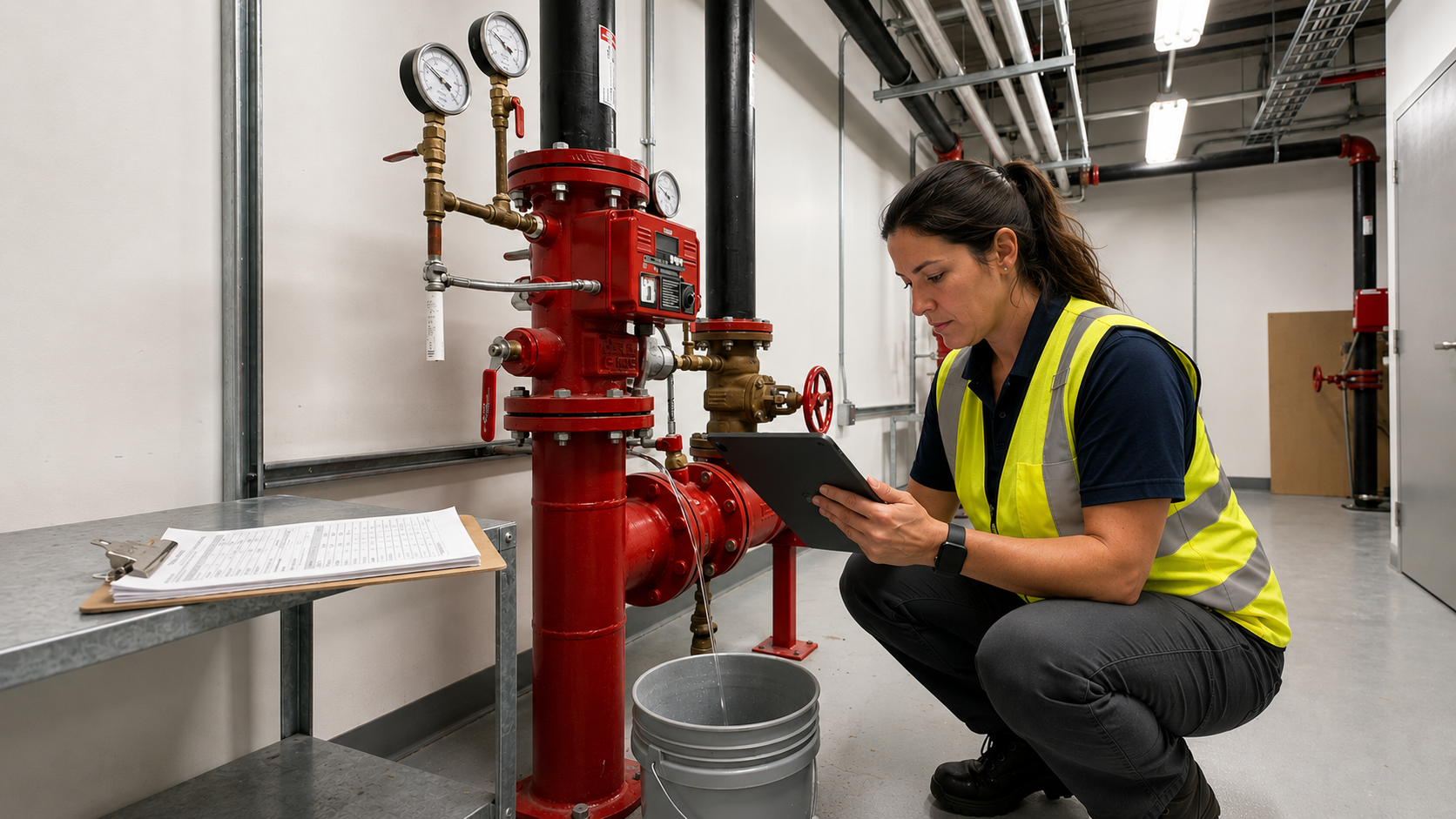
Yes, when the platform is built for it. Inspections can be completed offline in basements or mechanical rooms, with data syncing automatically once connectivity returns.
What is the biggest advantage of digital fire inspection forms?
Getting what a tech finds in the field in front of the office fast enough to act on it, not days later.
What inspection types can be digitized?
Most standard categories, including sprinkler, alarm, extinguisher, kitchen suppression, backflow, fire pump, and emergency lighting inspections.
Switch From Paper to Digital Fire Inspection Forms With Ember
Ember is fire inspection software built to close the documentation gaps that paper and fillable PDFs leave behind, from missed required fields to reports that take days to reach the office. Forms prefill with customer and asset history before a tech arrives, required fields keep an inspection from being submitted as incomplete, and the report builds itself and syncs to the office the moment the job is done.
Learn more about our digital fire inspection forms today. Schedule a free demo to see how the switch works in practice.
News & Resources


Ready to simplify your fire inspection workflow?
Get a Free Demo